

A deal moves from Qualified to Proposal Sent because your rep sent pricing, not because the prospect confirmed they received it or asked a follow-up question. Another sits in Verbal Commit for three weeks because nobody captured the decision-maker signature path in writing. Your forecast reflects hope more than verifiable progression, and every pipeline review turns into a negotiation about whether deals belong where they are. The fix is documenting the exit criteria once so every time you move deal between pipeline stages, the decision becomes auditable and the forecast assumption becomes something you can actually test.
TLDR:
Document exit criteria for each pipeline stage once so reps know exactly what must be true before moving deals forward
Automate criteria-driven stage transitions to make pipeline data auditable and remove dependence on rep judgment
Track time-in-stage duration and flag deals aging past thresholds to catch stalled opportunities before they distort forecasts
Ravenna's RevOps Agent automates multi-step deal progression workflows across CRM, task systems, and notification logic
Understanding Pipeline Stage Movement: The Foundation of Revenue Operations
Pipeline stage movement is the mechanical heartbeat of any revenue operation. When a deal advances from "Qualified" to "Proposal Sent" or retreats from "Negotiation" back to "Discovery," that single action carries a specific signal: whether the buyer has confirmed next steps, whether the rep's qualification judgment held up, and whether the close date attached to that deal is defensible.
The problem is that most teams treat stage movement as a CRM hygiene task instead of a decision with criteria. Reps move deals forward because a call went well, not because a defined exit criterion was met. The result is a pipeline full of deals at stages they haven't actually earned, and a forecast where close dates slip by weeks and win rates are overstated because no one flagged the gap at stage entry.
Documenting the decision tree once, and surfacing routing logic at decision time, closes that gap. Every stage transition becomes auditable, every forecast assumption becomes testable, and every new rep inherits the same institutional logic from day one.
Exit Criteria: The Decision Logic That Governs Stage Transitions

Every pipeline stage should have a documented answer to one question: what has to be true before a deal moves forward? For example, a proposal stage might require that the prospect has received pricing, asked at least one follow-up question, and agreed to an evaluation timeline, not simply that a rep sent an email. Without that specificity on record, reps make judgment calls, managers second-guess them, and forecast data loses its meaning.
Exit criteria are the conditions a deal must meet to leave a stage. Think of them as a checklist with teeth not aspirational steps, but verifiable signals that opportunity is genuinely progressing.
What Good Exit Criteria Look Like
Exit criteria work best when they are observable, not inferential. Three patterns that hold up across most pipelines:
A discovery stage might require that the rep has confirmed budget authority, identified a specific business problem, and logged a next step with a date attached.
A proposal stage might require that the prospect has received pricing, asked at least one follow-up question, and agreed to an evaluation timeline.
A verbal commit stage might require a confirmed decision-maker signature path and a mutual close plan in writing.
Why Teams Skip This Step
Most teams skip documenting exit criteria because it feels like overhead. The real cost shows up later: win rate analysis becomes unreliable because "Proposal Sent" means different things to different reps, and research on sales forecasting shows forecasted deals carry hidden risk that nobody flagged at stage entry.
One documented decision tree, applied consistently, fixes both problems at once.
Manual vs. Automated Deal Movement: When to Use Each Approach
Not every deal movement decision carries the same weight, and the approach you take should reflect that. Some stage transitions happen dozens of times a day across a busy pipeline; others, like moving a deal into Contract Sent, Closed Won, or back to an earlier stage after a lost call, warrant a second set of eyes before anything changes.
There are two broad categories worth thinking through here.
When manual review makes sense
Some stage changes should require a human to stop, assess, and confirm before the record moves, while other stage transitions can be automated through workflows. These tend to be:
Transitions into late-stage commitments like "Contract Sent" or "Closed Won," where a premature move can distort forecasting accuracy and trigger downstream workflows the deal isn't ready for.
Deals moving backward in the pipeline, which often signal a relationship or qualification problem that deserves explicit documentation.
High-value opportunities above a defined deal size threshold, where the cost of a mismove outweighs the friction of a checkpoint.
When automation makes sense
Repetitive, criteria-driven transitions are strong candidates for automated movement. If a deal should advance whenever a signed NDA lands in the CRM or a demo is logged, building that rule once removes the reliance on rep memory to move deal between pipeline stages consistently. The decision tree exists; it just runs without a prompt.
Manual vs. Automated Deal Movement: When Each Approach Fits
Approach | Best Use Cases | What It Prevents |
|---|---|---|
Manual Review | • Transitions into late-stage commitments (Contract Sent, Closed Won) | • Premature moves that distort forecasting accuracy |
Automated Movement | • Repetitive, criteria-driven transitions | • Reliance on rep memory for consistent progression |
Setting Up Workflow Automation for Stage Progression

When a deal moves between pipeline stages, the decision that triggers that move rarely lives anywhere permanent. A rep knows it intuitively, a manager enforces it inconsistently, and a new hire learns it by asking three different people and getting four different answers. The result: pipeline data that reflects individual judgment calls instead of a shared standard, and reporting you can't fully trust.
Workflow automation changes that by turning the decision tree into a repeatable, inspectable process. Instead of relying on a rep to remember the exit criteria for each stage, you configure the logic once and let it run.
What to document before you automate
Before touching any automation settings, write down the decision tree in plain language. For each stage, capture:
The specific conditions that qualify a deal to move forward, not vague signals like "good conversation" but concrete ones like "budget confirmed, decision-maker identified, and next meeting scheduled"
The data fields that must be populated before progression is allowed, so incomplete records can't slip through
Who has authority to override the criteria manually, and whether that override gets logged
Once that document exists, automation has something unambiguous to enforce.
Configuring the progression logic
Map each documented condition to a trigger in your workflow tool. A deal advances when all required fields are populated and the qualifying conditions are met, triggered through workflow actions that can execute across systems. If any condition fails, the workflow holds the deal and surfaces a prompt asking the rep to resolve the gap before progression. Every automated move gets timestamped and attributed, so the audit trail captures both the rule that fired and the outcome.
Documenting Your Stage Transition Decision Tree
When a deal stalls between stages, the problem is rarely the deal itself. It's that nobody wrote down what "ready to move" actually means, so every rep decides differently and every pipeline review becomes a negotiation about definitions. The fix is a decision tree, documented once and applied consistently every time you move a deal between pipeline stages.
What to capture for each stage gate
For each transition point in your pipeline, the document should answer four questions:
What evidence confirms the deal meets exit criteria (a signed mutual action plan, a confirmed budget number, a scheduled technical review)?
Who has sign-off authority before the move happens?
What happens if the deal doesn't meet criteria: does it stay, get recycled to an earlier stage, or get flagged for review?
Where does the supporting context live so the next person who touches the record can reconstruct the decision?
Getting those four answers into a shared reference means the conversation in the pipeline review moves from "should this be in Stage 3?" to "did we capture the exit criteria evidence?"
Common Bottlenecks in Deal Stage Movement
Most pipeline stalls follow the same handful of patterns. A rep sends pricing, never confirms the prospect actually opened it, and Proposal quietly turns into a graveyard. Verbal Commit freezes because everyone's been talking to a champion who can't actually sign. And Discovery stretches out for the most boring reason there is: nobody logged a next step with a date.
Time-in-stage duration is the earliest reliable signal that something has gone quiet. Set a threshold for each stage and flag any deal that ages past it for review. A deal sitting 21 days in proposal without a logged follow-up needs a reason on record for staying put, something more substantive than a note that conversations are ongoing, similar to how automated help desk operations require clear documentation. That single habit turns a vague sense that "things are slow" into a specific list of deals you can actually act on.
Where the Decision Tree Breaks Down
The bottlenecks above exist because the criteria for moving a deal between pipeline stages live in someone's head, not in a shared document. Three failure modes show up repeatedly when that's the case:
Reps interpret stage definitions differently, so two deals at "Verbal Commit" can represent wildly different levels of actual commitment depending on who owns them.
Managers spend one-on-ones reconstructing what happened instead of coaching what to do next, because the progression logic was never written down.
Forecasts inherit the ambiguity, and a "Proposal" deal with no logged engagement looks identical to one where the prospect confirmed a budget call is scheduled.
All three of these failure modes can be rectified at the same time by simply documenting the decision tree once, and anchoring it to specific logged actions.
Pipeline Hygiene: Keeping Stage Data Accurate
Stale stage data is one of the quieter ways pipelines break down. A deal sits in "Proposal Sent" for three weeks because no one logged the follow-up call. Another shows "Negotiation" when the prospect went dark two months ago. The numbers look populated, but the signal is gone.
The fix isn't more reminders. It's building stage-exit criteria directly into the decision tree so reps have a clear answer to "what has to be true before I move this deal forward?"
What Good Stage Data Actually Requires
Three conditions keep pipeline stages accurate:
Exit criteria are written down and attached to each stage, not carried in a manager's head or buried in an onboarding deck no one opens after day thirty.
The rep logging the move documents the triggering evidence, whether that's a signed order form, a verbal commit on a recorded call, or a completed security review, creating an automated request record.
Stale deals get flagged on a defined schedule instead of surfacing during quarterly reviews when the damage is already priced in.
When those three conditions hold, the decision tree does the hygiene work automatically.
Measuring Stage Progression Performance
Once you've built your decision tree and trained your team on when to move a deal, the next question is whether those moves are actually happening at the right time. Three metrics make that visible fast. Here are the numbers worth pulling from your CRM on a regular cadence:
Average time-in-stage per deal tells you where deals are stalling. If the average hang time in a given stage keeps climbing, that's a signal the exit criteria are either unclear or being ignored.
Stage conversion rate shows what percentage of deals that enter a stage actually advance to the next one. A low rate in a specific stage usually points to a criteria problem, not a rep performance problem.
Decision tree compliance rate measures how often reps document the required fields before moving a deal. Without this, your pipeline data reflects intent, not reality.
Ravenna Automates Multi-System Workflow Execution for IT, HR, and Operations Teams
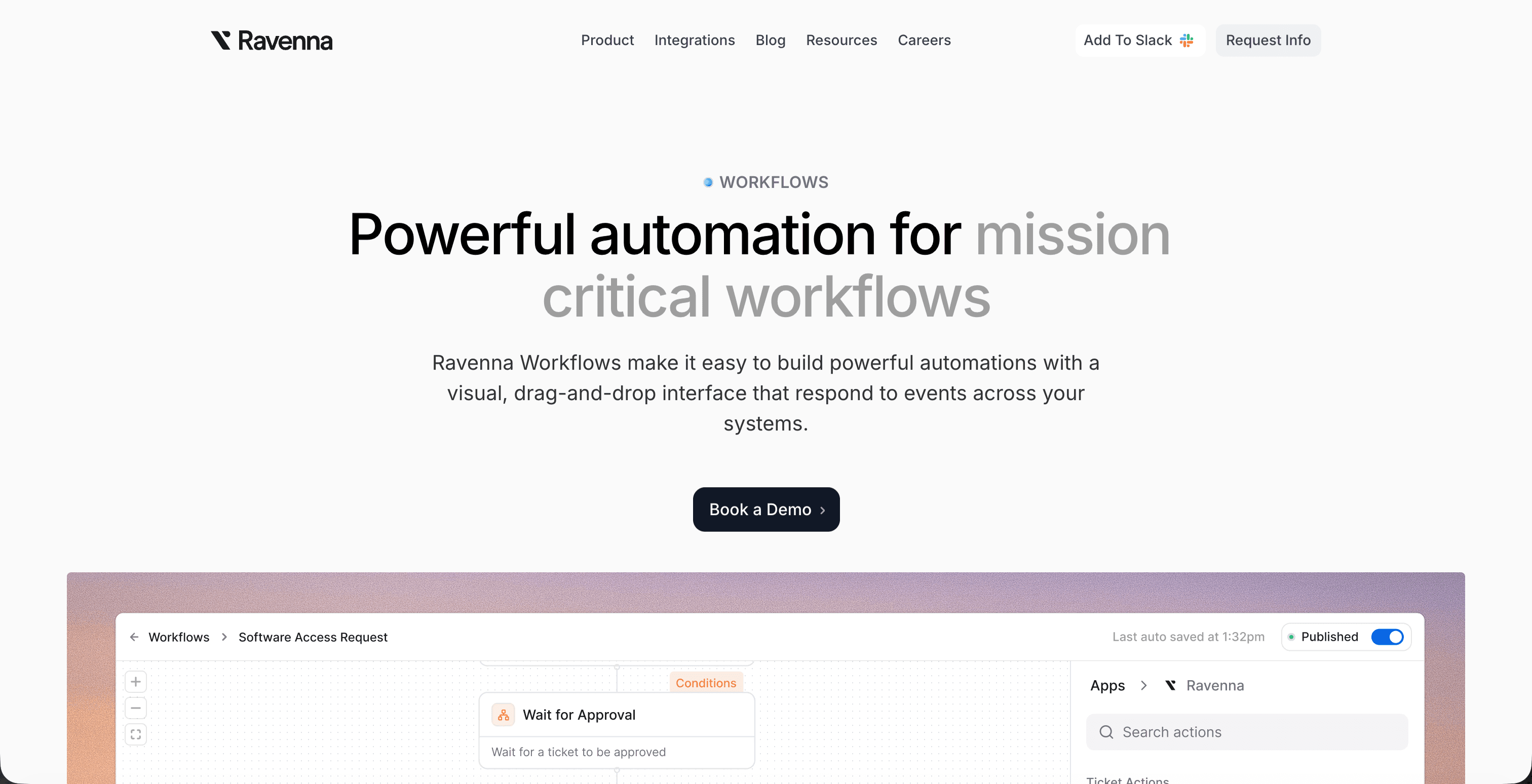
Ravenna is an AI-native workflow automation platform built for IT, HR, and Operations teams that need more than a place to file requests. When an employee submits a question in Slack, Ravenna's AI agents classify the intent, pull context from connected systems, execute the resolution across those systems, and post a confirmation back in the same thread. No queue. No handoff. No ticket waiting for someone to pick it up.
That execution model matters here because moving a deal between pipeline stages is rarely a standalone action, requiring unified automation across multiple systems. It touches CRM records, task assignments, notification logic, and sometimes approval gates. Ravenna's RevOps Agent handles that full sequence without requiring a human to coordinate each step manually.
Final Thoughts on Pipeline Stage Decision Logic
Pipeline stage movement breaks down when the criteria for advancement live in someone's head instead of in a shared document. Build the decision tree once, attach it to concrete logged actions, and suddenly the conversation in your pipeline review changes from "should this deal be here?" to "what's blocking the ones that are stuck?" That change is the difference between managing a forecast and defending one. If automating that decision logic across your entire pipeline sounds better than relitigating stage definitions every quarter, let's talk.
FAQ
What has to be true before you should move a deal between pipeline stages?
The deal must meet documented exit criteria specific to that stage: observable, verifiable conditions instead of gut-level judgment calls. For example, a discovery stage might require confirmed budget authority, an identified business problem, and a logged next step with a date; a proposal stage might require that the prospect has received pricing, asked a follow-up question, and agreed to an evaluation timeline.
Can I automate deal stage progression without losing oversight?
Yes, when you configure approval gates and override authority alongside the automation logic. Build the rule once so criteria-driven transitions (like when a signed NDA lands or a demo is logged) happen automatically, but require manual review for high-stakes movements like late-stage commitments, backward transitions, or deals above a defined size threshold, then log every automated move with a timestamp and attribution for full audit trail visibility.
Pipeline stage movement automation vs manual review: which approach fits where?
Automate repetitive, criteria-driven transitions where the decision tree is clear and the risk is low, for example, advancing a deal when required fields are populated and qualifying conditions are met. Reserve manual review for high-stakes inflection points: transitions into late-stage commitments that trigger downstream workflows, deals moving backward that signal relationship problems, and high-value opportunities where the cost of a mismove outweighs the friction of a checkpoint.
How do I stop deals from stalling between pipeline stages?
Set a time-in-stage threshold for each stage and flag any deal that ages past it for review: a deal sitting 21 days in proposal without a logged follow-up needs a documented reason for staying put. Then document the exit criteria (what evidence confirms readiness, who has sign-off authority, what happens if criteria aren't met, where supporting context lives) so the pipeline review conversation moves from debating definitions to confirming whether exit criteria evidence was captured.



