

A territory review is scheduled for tomorrow morning. The regional manager needs current pipeline data filtered three different ways. The crm report request goes in, but the analyst who handles Salesforce is booked until Thursday. The meeting runs on stale exports instead of live deal data pull automation. The gap is structural: without self service salesforce reports built into the access model, every question that requires a custom filter becomes a ticket by default.
TLDR:
Salesforce's permission architecture blocks managers from building their own reports, routing every data question through RevOps by default.
IBM found 85% of data leaders say outdated data has directly cost their companies money.
Three automation patterns remove the analyst queue: scheduled extracts, trigger-based exports, and on-demand Slack queries.
Conversational AI agents answer ad hoc CRM questions in Slack without requiring a ticket or any report-building.
Ravenna's RevOps Agent interprets CRM report requests in Slack and returns deal data in the same thread.
Why Sales Leaders Still Submit Data Tickets in 2026

Sales teams run on deal data. Pipeline reviews, forecast calls, territory check-ins: every one of them requires someone to pull numbers from Salesforce before the meeting starts. But in most organizations, that pull still goes through a ticket and approval workflow.
The pattern is familiar: a sales leader needs a filtered view of open opportunities by stage and close date, submits a crm report request to RevOps or an analyst, and waits. In many organizations, turnaround runs 24 to 48 hours, long enough that the pipeline review has already closed by the time the data arrives.
The bottleneck has less to do with analyst capacity and more to do with how CRM reporting access gets structured. Most teams never set up self service salesforce reports for managers, so every non-standard query becomes a manual request by default.
The Real Cost of Delayed Deal Data Access
Research from IBM shows that outdated data directly costs companies money. Each additional delay in data processing amplifies that financial exposure in ways that are hard to trace back to a single missed report. For sales leaders, the damage shows up in specific places:
A missed early-stage signal means no coaching intervention until the deal is already at risk, when the cost of correction is highest.
A territory going sideways goes undetected for days because the manager is working from a stale filtered view instead of live CRM data.
Pipeline reviews built on three-day-old numbers become retrospective instead of corrective, useful for explaining what happened but not for changing it.
Frontline managers who can't pull current data fill that gap with intuition. And intuition, at scale, skews forecasts and delays responses to things that were visible in the CRM the whole time.
How the BI Backlog Became a Sales Ops Problem
Sales ops teams didn't set out to become the gatekeepers of deal data. But somewhere between Salesforce's permission architecture, the complexity of cross-object reporting, and the sheer number of one-off requests landing in ops inboxes, that's exactly what happened.
The pattern is familiar to anyone running revenue operations at a growing company. Consider these examples:
A sales leader needs to see which enterprise deals have stalled past 30 days in a given stage.
A VP of Sales wants a rep-by-rep pipeline breakdown before a board call.
A regional manager is trying to combine forecast numbers with actual activity.
Each of those examples is, technically, a data question that workflow automation can handle. But in practice, each one becomes a crm report request that routes through a human who has to interpret the ask, build the logic, and deliver a static export that may already be outdated by the time it lands.
The cost shows up in two places: the time ops spends fielding and fulfilling these requests, and the decisions that get made on stale or incomplete data because the queue moved too slowly.
Why Self-Service Keeps Failing
The standard fix is to point sales leaders toward Salesforce's native reporting tools. And for straightforward single-object reports, that works. Most real sales questions, though, hit three walls:
Multi-object complexity: questions about pipeline by rep or territory span objects the standard builder handles poorly.
Filtered views: segment- or territory-level cuts require logic that is buried behind enough clicks to discourage anyone without training.
Interface friction: leaders without Salesforce proficiency burn time fighting the report builder and send the request to ops anyway.
The result is that self service salesforce reports exist in theory but not in practice.
The standard fix is to point sales leaders toward Salesforce's native reporting tools. And for straightforward single-object reports, that works. But most real sales questions span multiple objects, require filtered views by territory or segment, or need logic that the standard report builder buries behind enough clicks to discourage anyone without training.
The result is that self service salesforce reports exist in theory but not in practice. Leaders either burn time fighting the interface or send the request to ops anyway.
What Self-Service Actually Means for CRM Reporting
Most sales teams treat CRM reporting as a request process: you know what you need, you describe it to someone who can build it, and you wait. The assumption is that pulling deal data requires Salesforce admin skills, so it gets routed to whoever has them.
Self-service CRM reporting breaks that dependency. Instead of submitting a crm report request and waiting for a human to translate your question into a saved report or dashboard, you get deal data when you ask for it, in the format you need, without touching the queue.
What this looks like in practice
The distinction worth drawing here is between access and retrieval through automation. Most reps already have Salesforce access. Self-service means the ability to retrieve specific deal data on demand, without knowing how to write filters, build report types, or work through folder hierarchies. A rep asks which enterprise deals have been stuck in proposal stage for more than 21 days and gets an answer, not a ticket number.
Self service salesforce reports should deliver query-level access without query-building skills.
Salesforce Report Permissions: The Access Control Problem
Salesforce report permissions weren't built with sales leaders in mind. They were built for administrators managing data governance at scale, which means the default state for most sales managers is read-only access to a system full of their own deal data.
The permission architecture in Salesforce separates report creation from report viewing, and both from the underlying object access required to build anything useful. A sales manager might have a profile that allows running existing reports but blocks creating new ones. Or they have report creation rights but lack field-level access to the opportunity stages, amounts, or close dates they actually need. Either way, they end up filing a request.
This is where the report request cycle bogs down teams. The request goes to a Salesforce admin or a RevOps analyst, gets queued behind other work, and comes back days later, sometimes with the wrong filters.
The three permission layers that typically block self-service salesforce reports are:
Profile-level report permissions, which control whether a user can create, edit, or only run reports in the first place. Most non-admin sales users sit at the "run reports" tier by default.
Folder access, which determines which Salesforce report folder access. Without the right folder permissions, a manager can't save a report even if they can technically build one.
Object and field-level security, which governs whether a user can pull data from specific fields. A manager trying to build a deal data pull on pipeline by rep can be blocked at the field level even when their profile says reporting is allowed.
AI-Powered Alternatives to Traditional Self-Service BI
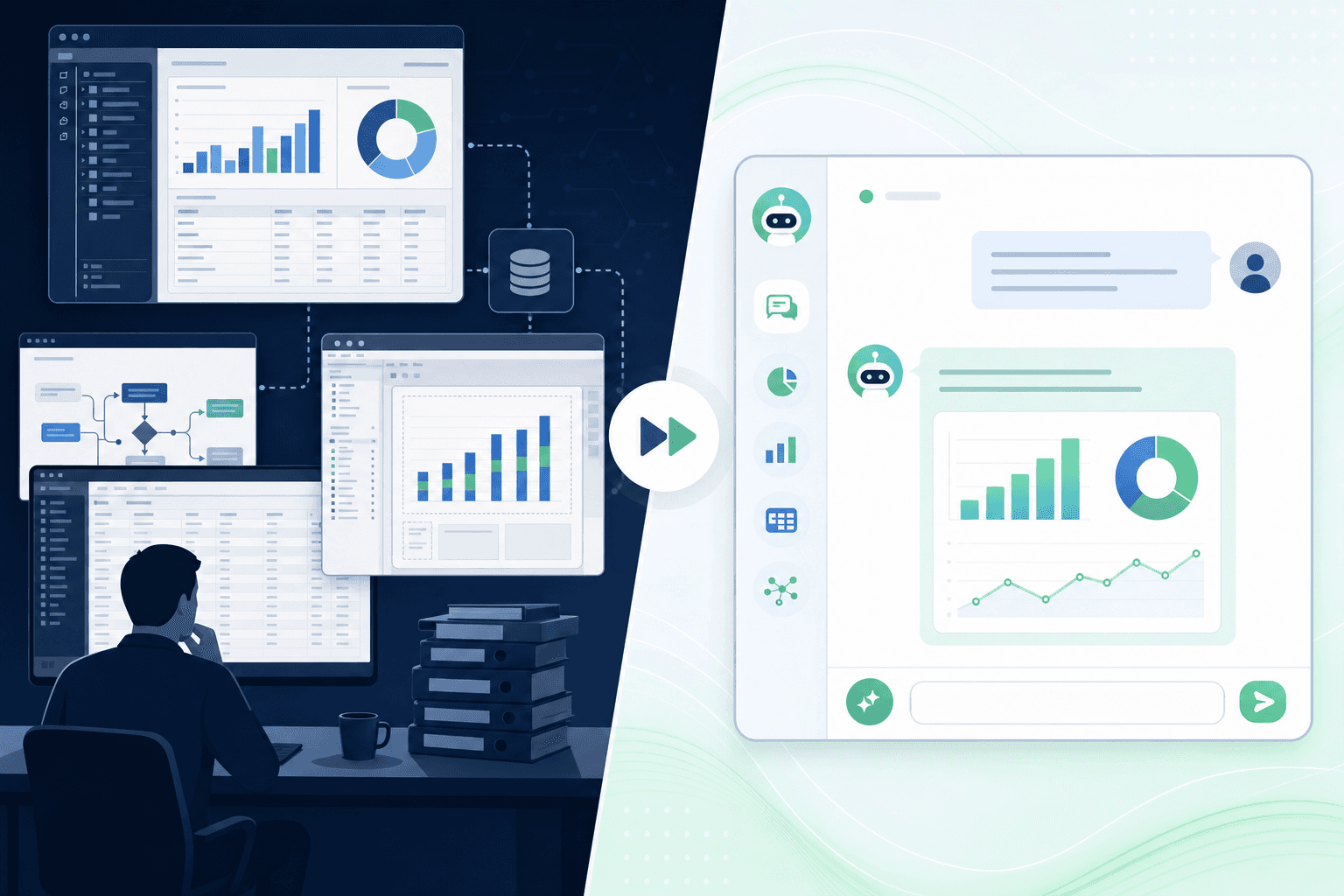
When sales leaders need deal data fast, the traditional path runs through a BI analyst, a CRM admin, or a spreadsheet someone emailed last quarter. That friction slows decisions. A few categories of tooling have developed to close that gap, and they take meaningfully different approaches.
Conversational AI Agents Built Into Workflow Tools
Ravenna's RevOps Agent lets revenue teams pull deal data directly from Salesforce through a Slack conversation, without filing a crm report request or waiting on an analyst. A rep asks which enterprise deals have gone dark in the last 30 days, and the agent queries the CRM, formats the results, and returns them in the thread. No ticket, no wait, no intermediary.
This approach works because the agent sits where the work already happens. Sales leaders get self service salesforce reports on demand, and deal data pull automation runs as part of normal workflow instead of a separate reporting interface.
Embedded CRM Report Builders
Salesforce's native report builder and Einstein Analytics give ops teams a way to pre-build report templates that reps can run themselves. The upside is tight data governance and no third-party dependency. The constraint is that someone still has to build and maintain those templates, which means analyst time gets consumed on setup instead of analysis.
Standalone BI Platforms
Tools like Tableau, Looker, and Power BI connect to CRM data and offer flexible visualization. They work well for recurring dashboards and structured analysis. The gap shows up in ad hoc situations, where a sales leader needs a specific deal slice that no existing dashboard covers, and building a new view requires tool access, training, or a request queue.
Side-by-Side Comparison of Different Approaches
The table below shows where each approach breaks down. For teams whose questions change week to week, conversational agents handle the most unpredictable demand without requiring someone to pre-configure every possible view.
Approach | Self-Service Speed | Setup Burden | Ad Hoc Flexibility |
|---|---|---|---|
Conversational AI Agent (Ravenna RevOps Agent) | Immediate, in Slack | Low | High |
Native CRM Report Builder | Fast once built | Moderate (ongoing) | Low |
Standalone BI Platform | Moderate | High | Moderate |
Building No-Code Report Access Workflows
The pragmatic answer to the report access problem is not always better training. Sometimes it's building a workflow that delivers the data automatically, so the request never becomes a ticket.
Three delivery patterns make this work:
Scheduled extracts pull from the CRM API on a fixed cadence and push results to a Slack channel or shared folder before the meeting that needs them, so no one has to ask.
Trigger-based exports fire when a deal crosses a defined threshold, like aging beyond a set number of days in a stage, so managers receive the data without submitting a request.
On-demand Slack requests route a natural-language ask through a workflow automation layer, query the CRM in real time, and return a formatted result in the thread.
The architecture underneath all three is the same: a CRM API connection, a workflow layer handling the query logic, and access controls governing which data gets surfaced to which roles. That automation layer removes the analyst from the loop without removing data governance.
This approach works best when the same questions recur weekly, when your user base has inconsistent Salesforce proficiency, or when report turnaround time is creating friction ahead of pipeline reviews and forecasting calls.
When to Grant Direct Report-Building Access vs. Automated Data Delivery
Not every sales rep needs to build their own pipeline report from scratch. The right call depends on what the person asking actually needs, how often they need it, and how much data governance the business requires.
Here is a practical way to think about it:
Direct report-building access works well for senior reps, RevOps analysts, or sales managers who regularly slice data in different ways and understand Salesforce well enough to avoid pulling misleading numbers. These users benefit from full filter control and can be trusted to interpret what they see.
Automated data delivery fits most sales reps and frontline managers better. A pre-built report or a scheduled AI-generated summary gives them the deal visibility they need without risking filter errors, duplicate records, or currency mismatches from a half-configured custom pull.
Hybrid setups cover the middle ground. Ravenna's RevOps Agent can deliver a standard daily pipeline digest automatically, while still letting a rep ask a follow-up question in Slack to get a more specific cut of the data on demand.
The governing question is really about confidence in the output. Self-service CRM reports are only as good as the person running them. Automated delivery offloads that judgment to a governed workflow, so the numbers reaching a VP of Sales in a Monday morning standup are consistent whether pulled by a junior rep or a seasoned operator.
Ravenna Automates CRM Report Requests From Slack
Ravenna's RevOps Agent handles CRM report requests directly inside Slack, so sales leaders get deal data without filing a ticket or waiting on an analyst. A rep or manager asks a question in plain language, the agent interprets the request, pulls the relevant Salesforce data, and returns a structured response in the same thread.
Here is what that looks like in practice:
A sales leader asks "show me all enterprise deals stuck in Proposal for more than 14 days" and the RevOps Agent queries Salesforce, formats the results, and posts them back without any manual steps in between.
A manager asks for a pipeline summary by region before a Monday standup, and the agent runs that pull automatically on a recurring schedule.
A rep flags a deal that looks stale, and the agent surfaces the full activity history and close date in the same thread.
The requests that used to pile up as analyst tickets get resolved at the moment of intent. No queue. No back-and-forth on filters. No waiting until someone has bandwidth to run the report.
Final Thoughts on Closing the Sales Data Gap
The ticket queue for deal data exists because pulling self service salesforce reports still requires someone who knows how Salesforce reporting works. Automating the crm report request removes that dependency, so your managers get deal data pull automation that responds to the question they actually asked. Talk to us if you want to see how Ravenna handles these requests through Slack without routing them through your ops team.
FAQ
Can I build self service salesforce reports without giving everyone admin access?
Yes. You can deliver self-service CRM reporting through automated workflows instead of direct report-building permissions. Tools like Ravenna's RevOps Agent pull data from Salesforce on demand via conversational requests in Slack, so sales leaders get the deal data they need without touching permissions, filters, or report folders.
Self service salesforce reports vs scheduled pipeline dashboards?
Self-service handles unpredictable ad hoc questions that change week to week. A manager asking "which enterprise deals have stalled in proposal for over 21 days" gets an immediate answer through a conversational agent. Scheduled dashboards work best for recurring views that the same stakeholders need at fixed intervals, but they can't adapt when a sales leader's question changes based on what they saw in yesterday's call.
What's stopping most sales managers from pulling their own CRM data?
Salesforce's permission architecture separates report creation, folder access, and field-level security into three layers that typically block non-admin users. A sales manager might have rights to run existing reports but lack the profile permissions to create new ones, or they can build reports but don't have field access to close dates and opportunity stages. Either way, the request routes to RevOps or an analyst instead.
How long does deal data pull automation usually take to set up?
Conversational AI agents like Ravenna's RevOps Agent deploy in minutes to hours once connected to your CRM. Native Salesforce report builders and standalone BI platforms require weeks of template building and dashboard configuration before users get value, and someone still needs to maintain those templates as questions change.
When should I automate CRM reporting instead of training reps to build reports?
Automate when the same questions recur weekly, when your user base has inconsistent Salesforce skills, or when report turnaround time creates friction ahead of pipeline reviews. Direct report-building access works best for senior analysts and managers who understand data structure well enough to avoid filter errors. Most frontline reps benefit more from governed automated delivery that surfaces consistent numbers without requiring them to interpret object relationships or build logic.



