

Inactive rep seats are one of the most overlooked cost problems in a sales stack. Salesloft seat recovery and outreach license reclamation sound like admin cleanup, but the dollar amounts add up fast when annual contracts are in play and turnover is high. If your team hasn't run a sales tool license audit recently, there's a good chance you're paying for seats that haven't been touched in months.
TLDR:
Outreach, Salesloft, and Gong seats keep billing after a rep departs; waste accumulates before most teams run an audit.
Cross-reference HRIS status, last login timestamps, and CRM activity to identify recoverable seats in a single working session.
Before deactivating any seat, check for active cadences, orphaned templates, and CRM record ownership. Pulling the seat stops billing, not pipeline erosion.
Deactivating a Gong user does not reduce your contracted seat count; that requires a separate conversation with your account rep before renewal.
Ravenna's IT Agent detects HRIS termination events and executes reclamation across Outreach, Salesloft, and Gong without a human opening a ticket.
Why Sales Tool License Waste Compounds With Every Rep Departure
Sales tool contracts don't pause when a rep leaves. Outreach, Salesloft, and Gong seats keep billing at their full per-seat rate the moment someone's profile goes dark, and most IT and RevOps teams don't catch it until the next quarterly business review, if then.
The compounding problem goes beyond the raw seat cost. It's the lag between departure and discovery. Sales rep turnover runs high across the industry, and each vacant seat that goes unreclaimed extends the waste window by weeks or months. Multiply that across a team with regular attrition and the unused license spend accumulates well before anyone runs a formal sales tool license audit.
Outreach and Salesloft contracts in particular tend to lock organizations into annual commitments, which means every day of outreach license reclamation delay is a day of spend that can't be recovered mid-cycle.
What Qualifies as an Inactive Rep Seat
Before recovering licenses, you need a clear definition of what counts as inactive. Most teams operate with fuzzy criteria here, which is how seats stay allocated for months after a rep has churned, gone on leave, or shifted into a role that no longer needs Outreach or Gong access.
A few signal categories tend to be reliable:
No login activity in the past 30 to 60 days is the most common threshold, though sales tools like Salesloft and Outreach expose last-login timestamps in admin reporting, so pulling this data is straightforward once someone owns the task.
No sequences started, no calls logged, and no emails sent in the same window suggests the license is allocated but not producing anything, even if the rep technically logged in once to check a notification.
Terminated or transferred reps whose HRIS status changed but whose tool access was never revoked represent the clearest reclamation candidates. These are not edge cases; any team with regular attrition will have a meaningful backlog of these.
Reps on extended leave with no expected return date within the billing cycle are worth flagging separately. Holding a Gong or Outreach seat through a six-month leave is a recoverable cost.
The goal is not to claw back seats from reps who are simply in a slow period. It is to identify licenses where the business case for continued allocation has genuinely expired.
How to Run a Sales Tool License Audit

Running a sales tool license audit doesn't require a dedicated ops project. With the right data pulled from the right places, you can identify recoverable seats across Outreach, Salesloft, and Gong in a single working session.
There are a few data sources worth pulling before you start comparing numbers.
What to Pull Before You Start
Your HRIS or identity provider (Okta, Azure AD) should be your source of truth for who is currently active, on leave, or terminated. If a rep's status in your IdP doesn't match their license status in a sales tool, that gap is where your audit starts.
Last login timestamps from each tool's admin console tell you which seats are warm and which haven't been touched in 30, 60, or 90-plus days. Most admins default to 90 days as a reclamation threshold, but a rep who hasn't logged into Gong in 45 days during an active quarter is worth flagging too.
CRM activity data from Salesforce gives you a secondary signal. A rep with zero logged calls, emails, or meetings in the past 60 days but an active Salesloft seat is a strong reclamation candidate regardless of login data alone.
Matching Seats to Activity
Once you have those three data sets, cross-reference them in a spreadsheet or your IT workflow automation tool. The goal is a single view that shows, for each licensed user: current employment status, last login date per tool, and recent CRM activity. Any row where all three signals point toward inactivity is a recoverable seat.
The table below shows what that triage logic looks like in practice.
Signal | Low Risk (Keep) | Review | Reclaim |
|---|---|---|---|
Employment status | Active, full-time | On leave or transitioning | Terminated or departed |
Last login (days ago) | Under 30 | 31 to 60 | 60-plus |
CRM activity (60 days) | Multiple touchpoints | One or two entries | None |
Flag any user who hits "Reclaim" on two or more signals. Flag "Review" rows for a quick manager check before pulling the seat.
Reclaiming Seats in Outreach
Outreach licenses are among the more expensive line items in a sales stack, and inactive rep seats compound that cost quietly. The audit process here has a few distinct steps worth walking through carefully.
Finding Inactive Users in Outreach
Outreach surfaces login activity and sequence engagement at the admin level under the Users section. Pull a report filtered by last login date and sequence activity over the past 60 to 90 days. Reps with no logins and zero sequence touches in that window are strong reclamation candidates.
Cross-reference against your HRIS to catch any reps who have already left the company but whose Outreach seats were never deprovisioned, which happens more often than most ops teams expect.
Flag reps on extended leave separately so you don't reclaim seats that will be actively needed again within the quarter.
Check whether any flagged users are connected to active sequences with prospects still in cadence, since deprovisioning mid-sequence breaks outreach continuity for those accounts.
Once you have a clean list, de-provision through the admin console and immediately document each seat change with a timestamp and the business reason. That record matters if a sales leader questions the decision later.
Reclaiming Seats in Salesloft
Salesloft's admin console gives you enough visibility to act without needing to export anything first. Go to the Users section under Settings and filter by last activity date. Any rep who hasn't logged in within the past 30 to 45 days is a candidate for review.
Before deactivating anyone, cross-check against your HRIS or CRM. A rep showing zero Salesloft activity might still be active if they're on leave, in a new role, or mid-onboarding. Deactivating the wrong person mid-quarter creates more cleanup than it saves. Reviewing your IAM and ticketing tools together helps prevent these mismatches.
Once you've confirmed a seat is genuinely unused, deactivate the user from the admin console. Salesloft will release that license back to your pool immediately. You can then reassign it to a new hire or hold it in reserve depending on current headcount plans.
What to Check Before Deactivating
A few things are worth auditing before you pull the trigger on any individual seat:
Check whether the rep has any active cadences still running sequences to prospects. Deactivating mid-cadence will orphan those touches, and prospects may go uncontacted at a critical point in the sequence.
Review whether the rep owns any shared templates or snippets that the broader team relies on. Ownership should be transferred before the account goes dark.
Confirm with the rep's manager that the seat isn't being held intentionally for a backfill or a returning employee.
Reclaiming Seats in Gong
Gong retains recordings tied to deals after deactivation by design, so the team keeps pipeline context even when a rep is gone (verify retention settings for your plan, as this may vary).
Call library permissions are a separate cleanup step that most teams skip. Recordings owned by a departed rep may have visibility settings that no longer make sense, and playlists or shared clips they created could still surface to active reps without an obvious owner. Transfer ownership to a manager or team lead before closing the account, and confirm that shared snippets tied to active training libraries aren't left orphaned.
The part that trips most ops teams: removing a user from your Gong workspace does not reduce your contracted seat count. Gong licenses are set at the contract level. Deactivating the user stops their access. Reducing what you're actually billed requires a separate conversation with your Gong account rep, and that conversation typically needs to happen before your renewal window to take effect.
The Hidden Cleanup Work After Seat Reclamation
Pulling the seat stops the billing. What it doesn't stop is the quiet pipeline erosion that follows when the cleanup ends there.
The most common miss is CRM record ownership. When a rep departs and their Salesforce opportunities stay assigned to a deactivated user, those accounts can fall out of active forecast views entirely. A complete employee off-boarding workflow covers these handoffs automatically. Sales managers lose visibility into open deals, and follow-up gets delayed until someone notices a contact has gone cold. Update CRM record ownership as part of the same workflow that revokes tool access, not as a separate task that gets scheduled for later.
Gong deal boards tied to a departed rep are worth a separate pass too. Boards configured around that rep's calls or deals may feed pipeline review meetings, and once the user is deactivated, those views can break silently without alerting anyone.
Shared content in Outreach and Salesloft carries similar risk at the template level. Sequence steps, reply templates, and email snippets built by a departing rep often remain in active use by the broader team, but with no clear owner, they go unedited when messaging needs to update. Auditing content ownership at off-boarding prevents orphaned assets from quietly degrading team outreach quality over the following weeks.
Building a Reclamation Trigger Into Your Off-boarding Runbook

Quarterly audits find waste after it's already accumulated. The fix is tying reclamation to a termination event in your HRIS so the trigger fires the day a rep's status changes, not weeks later when someone schedules a review.
For tools that support SCIM provisioning, the path is direct. Connect Outreach or Salesloft to your identity provider and de-provisioning happens automatically when the user is suspended in Okta or JumpCloud. The seat locks the same day the account does, with no manual step required.
Where SCIM isn't available, a webhook from your HRIS works as a reliable fallback. When a termination event fires, the webhook calls your sales tool's API to suspend or remove the user record before the next billing cycle closes.
Fitting Reclamation Into the Runbook
Most off-boarding runbooks stop at access revocation. Seat recovery is a separate action and needs its own line item. A few places to anchor it:
Add a license reclamation step directly to your HRIS offboarding workflow so it triggers in the same sequence as account suspension, not as a separate manual task someone remembers to file later. License reclamation is one of many internal workflows to automate for ops teams.
For Gong, SCIM provisioning is available on Enterprise plans; Business plan customers must rely on the API or manual deprovisioning instead. If your plan doesn't include SCIM, route the deprovisioning call through your identity provider or queue it as an automated API task tied to the termination date. Check Gong's provisioning FAQs to confirm what's available for your plan.
Assign clear ownership. If no one is accountable for confirming the seat was recovered, it stays active. One owner per tool, named in the runbook, closes that gap.
How Ravenna Automates Sales Tool License Reclamation
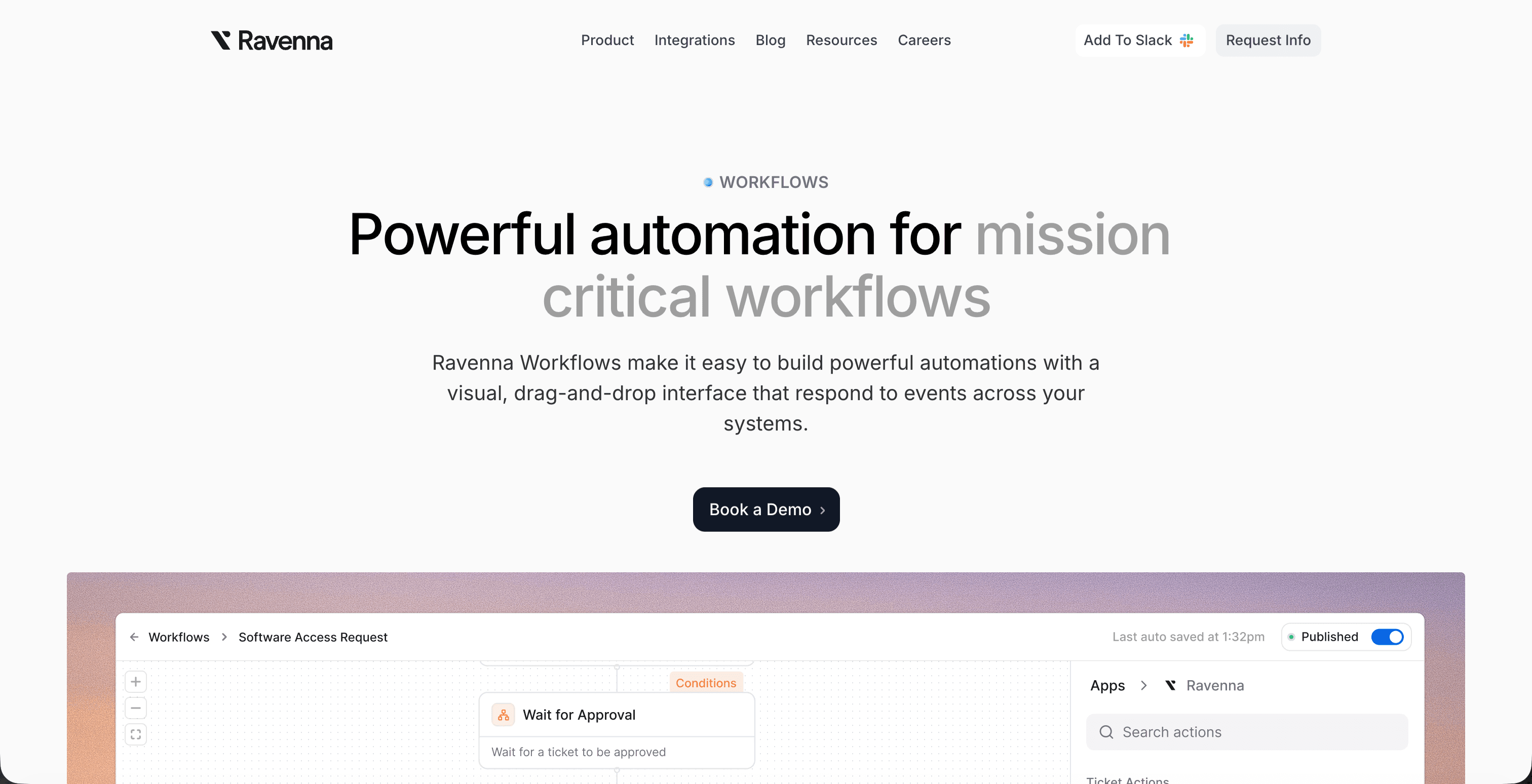
Reclaiming licenses manually means cross-referencing login data, chasing down managers, opening tickets, and waiting on vendors to confirm deactivation. For a single rep, that process can take hours. Across a departing sales cohort, it compounds quickly.
Ravenna's AI agents handle this end-to-end. When an HRIS system like Workday or BambooHR marks a sales rep as terminated or transferred, Ravenna's IT Agent reads that status change and triggers a reclamation workflow automatically. The IT Agent queries Outreach, Salesloft, and Gong to confirm active seat assignment, flags the license for reclamation, and removes access without a human opening a single ticket.
What the Workflow Covers
The reclamation sequence Ravenna runs includes:
Detecting the HRIS trigger and matching it to active sales tool licenses assigned to that employee record
Suspending or deactivating the seat in each tool based on vendor API rules, so the license becomes available for reassignment immediately
Posting a confirmation summary back in Slack so the ops or IT lead has a timestamped record without chasing down status updates
Flagging any licenses that require manual vendor intervention and routing those exceptions to the right owner
The result is a reclamation cycle that runs in minutes, not across a backlog.
Final Thoughts on Reducing Sales Tool License Waste
Every day an inactive seat stays allocated is spend you can't get back mid-cycle. The fix doesn't require a big ops project. It requires a clear process, the right data sources, and a reclamation trigger that fires the moment a rep's status changes. If you want to skip the manual work entirely, Ravenna's AI agents handle this automatically.
FAQ
How do I run a Salesloft seat recovery audit without a dedicated ops project?
Pull three data sets: your HRIS or identity provider for current employment status, Salesloft's admin console for last login timestamps, and Salesforce for CRM activity over the past 60 days. Cross-reference them in a spreadsheet or your ITSM workflow tool. Any rep who hits two or more "Reclaim" signals (terminated status, 60-plus days inactive, zero CRM touchpoints) is a confirmed reclamation candidate. The whole triage pass can happen in a single working session once someone owns the task.
Outreach license reclamation vs. Salesloft seat recovery: is the process the same?
The data sources and triage logic are identical, but the pre-deactivation checks differ. In Outreach, the critical step before pulling a seat is confirming whether the flagged rep has prospects still mid-sequence, since de-provisioning breaks outreach continuity for those accounts. In Salesloft, the priority checks are active cadences, shared template ownership, and manager confirmation that the seat isn't being held for a backfill. Both tools release the license immediately on deactivation; Gong does not, and requires a separate conversation with your account rep before renewal to reduce contracted seat count.
What's the fastest way to stop inactive rep licenses from accumulating after every departure?
Connect your sales tools to your identity provider via SCIM provisioning so de-provisioning fires automatically the day a rep's status changes in Okta or JumpCloud, with no manual step required. Where SCIM isn't available, a webhook from your HRIS to the tool's API works as a reliable fallback. For teams running regular attrition, Ravenna's IT Agent handles this end-to-end: it reads the HRIS termination event, queries Outreach, Salesloft, and Gong for active seat assignments, removes access, and posts a timestamped confirmation in Slack, cutting the reclamation cycle from hours to minutes.
Should I do a one-time sales tool license audit or build a reclamation trigger into off-boarding?
A one-time audit finds waste that has already accumulated; it doesn't stop the next wave. The more durable fix is tying reclamation to a termination event in your HRIS so the trigger fires the day a rep's status changes. Treat the quarterly audit as a backstop for edge cases your automated trigger misses, not as the primary reclamation mechanism.
What gets missed when outreach license reclamation stops at revoking seat access?
Pulling the seat stops the billing but leaves several downstream problems intact. CRM record ownership on open Salesforce opportunities stays assigned to the deactivated user, which drops those accounts out of active forecast views and delays follow-up. Gong deal boards tied to the departed rep can break silently. Shared templates and sequence snippets in Outreach and Salesloft lose their owner, and go unedited when messaging needs to update. Seat reclamation and record cleanup need to run as a single coordinated workflow, not as separate tasks scheduled for later.



