

A rep asks for Salesforce access to a new account territory. A manager needs HubSpot permissions updated before the quarterly business review. A new hire is waiting on revenue stack provisioning across five different tools before their first call. Every one of those requests follows the same path: someone files it, IT or RevOps triages it, an approver signs off, and then an admin logs in and makes the change by hand. The pattern is the same whether it is a Salesforce permission request, a HubSpot access grant, or a seat assignment in Gong. Self-service flips that model by letting the requester describe what they need in a structured form, routing approval automatically to the right person, and provisioning the access directly without anyone manually updating each system.
TL;DR:
Manual Salesforce access provisioning takes hours to days, stalling deals when reps wait for permission sets.
Automated workflows route approvals by risk tier and provision permission sets directly without admin intervention.
User access policies match role to permissions automatically, eliminating tickets for standard requests.
Ravenna's RevOps Agent provisions Salesforce and HubSpot access via Slack with policy-based approval routing.
Understanding Salesforce Permission Requests
Salesforce permission requests arrive through a mix of Slack messages, emails, and ad-hoc conversations, each requiring an admin to manually translate a vague request into the right combination of profiles, permission sets, and object-level access. The challenge is that Salesforce's permission architecture is genuinely layered: a rep asking for "deal access" might actually need a specific profile adjustment, a permission set for forecasting, and object permissions on the Opportunity record, all of which interact in ways that aren't obvious from the request itself.
There are a few distinct request types that IT and RevOps teams field regularly:
Profile changes, where a user needs to move from one base profile to another because their role has shifted and their current profile no longer grants the right object access across accounts, contacts, or opportunities.
Permission set assignments, which layer additional capabilities on top of a user's profile without changing the profile itself, often used for things like forecasting visibility, CPQ access, or territory management features.
Field-level security adjustments, where a rep or manager needs read or edit access to specific fields on an object, such as contract value or close probability, that their current profile restricts.
Object access grants, covering situations where a user's role expands to include a new object like Cases or Campaigns that wasn't previously part of their workflow.
The request volume scales quickly on growing revenue teams. Sales turnover runs high in most organizations, and each role change or new hire triggers a fresh round of access provisioning that IT has to work through manually without a structured intake process.
How Salesforce Permission Sets Work
Salesforce organizes access through a layered permission architecture. At the base, every user has a profile that sets their default object access, field visibility, and tab permissions. Profiles are blunt instruments, though, and they apply uniformly to everyone assigned to them.

Permission sets sit on top of profiles and grant additive access without changing the profile itself. A sales rep might have a base profile with standard CRM access, then receive a permission set that opens up forecasting tools or a specific custom object their team needs. Permission set groups bundle multiple sets together, so instead of assigning five individual sets to every enterprise AE, an admin assigns one group.
The three layers work like this:
Profiles set the floor: the minimum access every user in a role receives by default, covering standard object permissions, page layouts, and app visibility.
Permission sets extend that floor for individuals or cohorts without touching the underlying profile, making them the preferred mechanism for role-specific or project-specific access grants.
Permission set groups aggregate related sets into a single assignable unit, which cuts down on the repetitive work of managing access at scale across large revenue teams.
Where this gets complicated for IT and RevOps teams is the request and approval layer. Salesforce has no native self-service provisioning flow. A rep who needs Forecasting access or the ability to edit Opportunity fields beyond their current permission set has to submit a request through whatever intake channel the org uses, wait for an admin to assess which permission set applies, and then wait again for the assignment to go through.
Permission Set Groups and Assignment Logic
Salesforce's permission model has layers, and the most consequential one for revenue teams is the Permission Set Group.
Permission Sets let admins bundle specific object access, field visibility, and feature licenses into reusable units. Permission Set Groups take that further by stacking multiple Permission Sets into a single assignable package. Instead of granting five individual Permission Sets to every new Account Executive, an admin assigns one group and the whole access profile lands at once.
The assignment logic matters as much as the structure itself. Salesforce processes permissions additively: a user's effective access is the union of everything granted across their profile, all assigned Permission Sets, and any Permission Set Groups. There is no "deny" override at the Permission Set level, so misconfigured groups compound quietly. An AE who gets added to the wrong group picks up whatever access that group carries, often without anyone noticing until an audit.
Why Group Design Breaks Down in Practice
Most Salesforce orgs start with clean group definitions and drift. A few failure modes show up repeatedly:
Groups get cloned when a new role appears instead of extended, so the org accumulates near-duplicate configurations that are hard to audit and harder to deprecate.
Mutable Component Groups are used to carve out exceptions mid-group, but those carve-outs rarely get removed when the exception no longer applies.
New Permission Sets get added to existing groups without reviewing what the group already grants, stacking access that no single approver has visibility into end-to-end.
The result is an access architecture that looks organized at the group level but carries substantial permission sprawl underneath.
Requesting Salesforce Access: Manual vs. Automated Workflows
When a sales rep needs Salesforce access, the default path is a Slack message to IT, a ticket in whatever queue the team uses, a back-and-forth to confirm the right permission set, and then a manual update inside Salesforce itself. That cycle can take anywhere from a few hours to several days depending on how busy IT is and whether the request lands at the right person.
The gap matters more than it looks. A rep locked out of a key account record, or waiting on Salesforce CPQ access before a deal closes, slows down more than their own work. The pipeline itself stalls. Automated provisioning cuts that loop short.
Instead of a ticket waiting in a queue, a structured request goes through a defined approval path, triggers the permission update directly in Salesforce, and closes the loop without IT manually executing each step.
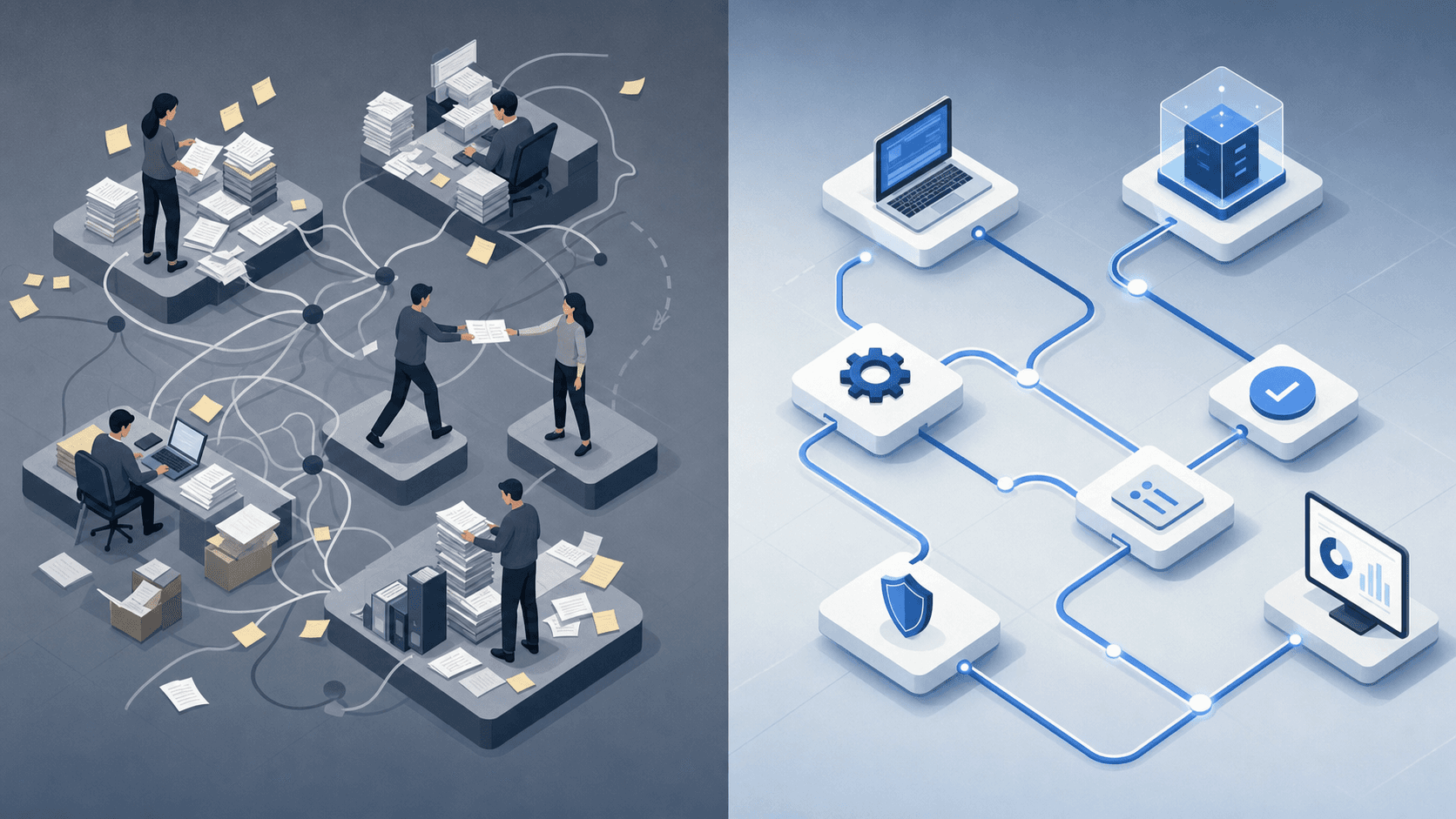
Manual vs. Automated Salesforce Access Provisioning
The table below breaks down where the two approaches diverge across the steps that matter most to a revenue team.
Step | Manual Workflow | Automated Workflow |
|---|---|---|
Request submission | Slack message, email, or ad hoc ticket | Structured form with predefined fields |
Approval routing | IT triages and forwards manually | Approval Rounds route to the right owner automatically |
Permission assignment | Admin logs into Salesforce and updates manually | AI agents write the permission set update directly |
Confirmation | Optional, often forgotten | Automated confirmation posted back to requester |
Audit trail | Inconsistent, lives in ticket comments | Logged automatically at each step |
The audit trail row tends to be the one that surprises teams. Manual workflows leave a patchwork of Slack threads and ticket comments that are hard to reconstruct during a security review or access audit. Automated provisioning logs every step in a structured record.
Automating Permission Assignment with User Access Policies
User access policies let you define rules that govern who gets access to what, under what conditions, and for how long. Instead of processing each Salesforce permission request or HubSpot access provisioning ticket individually, the system checks the requester against a policy and grants, restricts, or escalates automatically.
The logic is straightforward. A new account executive joins the revenue team. Ravenna's RevOps Agent reads the role and department from the HRIS record, matches it against the access policy for that job function, and provisions the appropriate Salesforce profile, HubSpot permissions, and connected tools without a ticket ever being filed.
Here is what a well-structured access policy covers for revenue stack provisioning:
The role or persona it applies to, such as account executive, sales development rep, or revenue operations analyst, so the policy targets the right job functions without requiring manual matching each time.
The specific permissions granted by default, including Salesforce profiles, permission sets, HubSpot seat type, and any connected tools like Gong or Outreach that the role routinely needs.
Conditions that modify access, such as territory, segment, or manager approval requirements for higher-level permissions that go beyond the baseline.
A time boundary for temporary or project-based access, after which the policy automatically revokes what was granted without anyone filing a separate removal request.
Policies also handle the edge cases that tend to pile up in queues. When a request falls outside defined parameters, the RevOps Agent routes it for approval with the relevant context already attached, so the approver sees what was requested, who requested it, and why it sits outside the standard policy without starting from a blank ticket.
HubSpot User Provisioning and Permission Management
HubSpot's permission model works differently from Salesforce's layered stack, but the provisioning bottleneck is the same. Instead of profiles and additive permission sets, HubSpot uses preset permission bundles that define what a user can view, create, or edit across CRM objects, reports, and marketing tools. You build each set once using role templates, then assign it to users individually or push it to a cohort in bulk.
The more scalable path is SCIM. HubSpot's SCIM provisioning through Okta means a new AE added to the right identity provider group automatically receives the correct HubSpot seat type and permissions. Deprovisioning works the same way in reverse: remove the user from the group, and HubSpot access clears without a separate IT request. Google Workspace functions as a SCIM source as well, so teams already managing identity through Google can apply the same pattern.
Approval Workflows for High-Risk Access Requests
Not every access request should route through the same approval path. A sales rep requesting read access to a shared Salesforce report is a different risk profile than a manager requesting admin-level CRM permissions that expose pipeline data across the entire org.
Good revenue stack provisioning treats these differently by design.
Tiered Approval Logic
When a request comes in through Ravenna's RevOps Agent, the system classifies the request against a predefined risk tier before routing it anywhere. Low-risk requests, like standard HubSpot contact view permissions, can auto-approve and provision without a human in the loop. Higher-risk requests, like Salesforce admin roles or bulk export access, trigger an Approval Round that requires sign-off from a designated owner before any provisioning occurs.
Here is how those tiers typically map out:
Risk Tier | Example Request | Approval Path |
|---|---|---|
Low | HubSpot read-only contact access | Auto-approved, provisioned immediately |
Medium | Salesforce custom object edit permissions | Single manager approval via Slack |
High | Salesforce admin role or bulk data export | Multi-step Approval Round with IT and RevOps lead |
What Happens During an Approval Round
The RevOps Agent posts the request context directly in Slack, including who is asking, what they are asking for, and why, pulled from the original request. The approver reviews and responds in-thread. Once approved, provisioning executes automatically. If the request is denied, the requester gets a notification with the reason.
No email chains. No context switching between systems. The entire approval lifecycle lives in Slack, with a full audit trail attached.
Self-Service Access Portals for Revenue Teams
Revenue teams spend a disproportionate amount of time waiting on access. A new account executive joins and needs Salesforce, HubSpot, Gong, and Outreach provisioned before their first call. A RevOps analyst needs expanded Salesforce permissions to build a new attribution report. A sales manager needs a HubSpot access tier adjusted before a pipeline review that starts in an hour.
In each case, the request goes into a queue. IT triages it manually. Someone checks a permissions matrix. An approval gets routed. By the time access comes through, the pipeline review has already closed.
Self-service access portals change that model. Instead of routing every revenue stack provisioning request through IT's backlog, self-service provides a structured intake path where they describe what they need, why they need it, and for how long. The system handles the rest.
What Self-Service Actually Requires
A self-service portal that works for revenue teams needs more than a web form. It needs to know what access tiers exist in Salesforce and HubSpot, who the right approvers are by role or territory, and what the downstream provisioning steps look like once approval is granted.
For Salesforce permission requests, that means the portal needs to map request types to specific permission sets instead of open-ended text fields. For HubSpot access provisioning, it means surfacing the right role options upfront so requesters pick from valid choices without describing access in ways that require manual interpretation on the back end.
When those requirements are met, self-service stops being a form and starts being a workflow: intake, routing, approval, and provisioning execute in sequence without a human in the middle of each step.
Ravenna: Workflow Automation for Revenue Stack Provisioning
Ravenna is an AI-native workflow automation platform built for IT, HR, and operations teams, and its RevOps Agent provides that same execution capability for revenue stack provisioning.
When a new sales rep needs Salesforce access, the request comes in through Slack. Ravenna's RevOps Agent reads the request, checks the rep's role against provisioning policy, routes an approval to the appropriate manager, and once approved, provisions the correct Salesforce permission sets and HubSpot access automatically. No ticket queue. No back-and-forth. The rep gets access; the manager gets a confirmation; IT gets none of the manual work.
The same logic applies to deprovisioning. When a rep leaves or changes roles, Ravenna revokes Salesforce and HubSpot access, reclaims licenses, and posts a completed checklist back in Slack without IT opening a single ticket.
A few things make this worth noting for revenue stack provisioning in particular:
Approval Rounds are built into the workflow, so access requests that require manager or RevOps sign-off get routed automatically without sitting in someone's inbox until they remember to act.
Policy guardrails run before provisioning executes, so reps can only receive permission sets that match their role tier. This removes the ad hoc "just give them admin for now" pattern that creates audit problems later.
Every provisioning and deprovisioning action is logged, so when a compliance review comes around, the access history is already there.
Where Ravenna is the clearest fit: teams running Slack-native workflows who want self-service access provisioning without building and maintaining custom automation. It is purpose-built for that environment and delivers less value outside of it.
Final Thoughts on Eliminating Manual Revenue Stack Provisioning
Manual Salesforce permission requests and HubSpot access provisioning slow revenue teams down in ways that compound quickly across hiring cycles and role changes. Automated workflows route approvals, provision access, and log the audit trail without IT touching each request individually. Ravenna's RevOps Agent reads role changes from your HRIS, applies the right permission policy, and provisions access the moment approval clears. The gap between request and execution matters most when pipeline is on the line and a rep can't access the account record they need before a deal closes.
FAQ
Can I build a Salesforce permission request workflow without coding?
Yes. Visual workflow builders like Ravenna let you design end-to-end Salesforce access provisioning flows using drag-and-drop components, with no scripting required. You map request types to specific permission sets, route approvals through Approval Rounds, and provision automatically once approved, all configured visually instead of written in code.
Salesforce permission set groups vs individual permission sets: which should I use?
Permission set groups bundle multiple permission sets into a single assignable unit, making them the better choice when a role requires several related permissions. Individual permission sets work well for one-off grants or temporary project access. Groups scale better across large revenue teams because they eliminate repetitive assignment work, but they require careful governance to prevent permission sprawl when modified.
How do I automate Salesforce access provisioning for new sales hires?
Start by defining access policies that map each revenue role to its required Salesforce profiles, permission sets, and HubSpot seat type. Connect your HRIS as the source of truth for role data. When a new hire record appears with a sales role, the system reads the department, matches it against policy, and provisions the correct Salesforce and HubSpot access automatically without manual ticket submission.
What's the difference between manual and automated revenue stack provisioning?
Manual provisioning routes each access request through a ticket queue where IT triages, forwards, and executes permission updates one at a time in Salesforce or HubSpot. Automated provisioning uses structured intake forms, policy-based routing, and direct API calls to provision access without human execution steps. The difference shows most clearly in audit trails: manual workflows leave scattered Slack threads and ticket comments, while automated flows log every step in a structured record.
When should a Salesforce permission request require multi-step approval?
Route requests through multi-step Approval Rounds when the permission level crosses defined risk thresholds: admin roles, bulk data export capabilities, or access to sensitive objects like contract pricing or executive pipeline. Low-risk requests like read-only report access can auto-approve and provision immediately, while high-privilege requests need sign-off from both the manager and a RevOps or IT lead before provisioning executes.



