

Your team acknowledges a password reset, but the employee still waits for a technician to act. Reducing mean time to resolution (MTTR) takes more than a quick reply. Ravenna's AI agents execute eligible IT workflows across connected systems from its Slack and Teams-native workflow automation platform, removing manual handoffs and execution waits while keeping required approvals in place.
TLDR:
Ravenna's AI agents execute supported IT workflows in Slack or Teams, removing manual handoffs and execution waits that can increase mean time to resolution.
Password resets, access provisioning, onboarding, and offboarding suit automation when supported actions and permissions cover the task.
Fully autonomous resolution requires policy permission; required approvals and exceptions still route to people.
Compare MTTR by request type against your baseline and track human hours saved, automation success, and resolution paths.
Google's SRE guidance on toil counts time spent running scripts as toil, even when scripts speed up tasks.
What MTTR Means in IT Service Desk Context
Mean Time to Resolution (MTTR) measures the average time from when an incident is reported to when it reaches a confirmed resolution, not an administrative close. To make that average useful, report incident resolution and service-request fulfillment separately, comparing like request types over the same period.
Mean Time to Respond captures how long it takes to acknowledge a request, not resolve it.
Mean Time to Repair focuses on restoring a failed system or component, typically in an infrastructure context.
MTTR measures the span from first report to confirmed resolution, including triage and execution.
Why MTTR Is Hard to Improve With Traditional Approaches
Existing service desks can automate execution; the gap is a configured workflow that hands work to a person instead of completing it. Friction compounds from there:
Manual triage means every incoming request waits for someone to read, classify, and assign it.
Portal-first intake drives shadow support: employees message IT directly in Slack, requests land outside the queue, and resolution happens off the record.
Queue backlogs mean simple requests like password resets and access grants sit behind higher-priority tickets because they require the same human hands.
Better triage can shorten parts of the process, but a wait remains when execution still depends on an available person, since your team is doing automatable work by hand.
How AI Agents Differ From Rules-Based Automation
Rules-based automation follows if/then paths and handles inputs the configured rules cover. Outside those paths, requests need a fallback, a workflow change, or human handling.
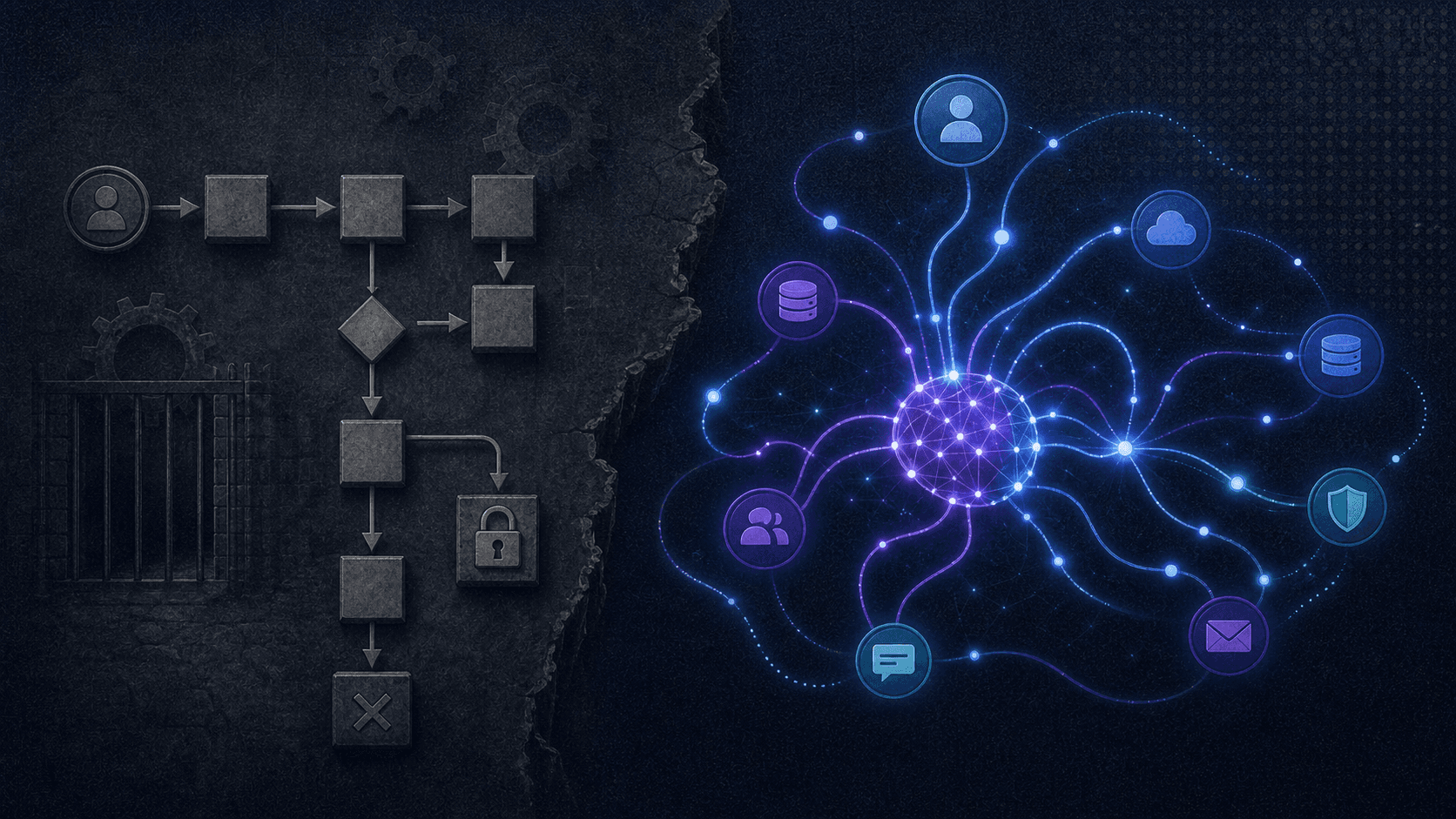
Ravenna's IT Agent reads intent, gathers context, and executes actions within administrator-set permissions. Uncertainty or risk sends the request to a person with context attached. Four capabilities separate this from a routing engine:
Intent classification: understanding what the employee actually needs, beyond what they typed
Context awareness: knowing who is asking, their role, their systems, their history
System integration: the ability to reach into Okta, an HRIS, MDM, or Google Workspace and act
Autonomous execution: completing a request end-to-end without human review when policy permits and no approval or exception applies, distinct from execution following a required human approval
An employee types "I can't log in." An AI agent checks MFA status in Okta, verifies identity, and triggers a permitted reset once any required approval clears, confirming in Slack. Privileged accounts or a lost device still route to a human, and a factor reset doesn't guarantee login recovery. Routing alone still leaves a person doing the work; AI-native ITSM connects the request to execution.
IT Requests Suited to AI-Agent Resolution
Autonomous execution suits requests with a repeatable path, defined system integrations, and enough volume for small per-ticket savings to compound.
Choose candidates by the work removed. Google's guide to measuring toil compares time saved against build and maintenance effort, before, during, and after.
Request Type | Why It Suits Agent Execution |
|---|---|
IdP action after identity verification, with approval required when policy calls for it and exceptions routed to a person | |
Software access requests | Policy-matched provisioning with approval routing by role and risk score |
Employee onboarding | Multi-system execution through configured HRIS hire-event triggers; syncing employee data alone does not start onboarding |
Employee offboarding | Security-critical sequence across Okta, Google Workspace, and license tools |
Jamf device lookups, escrowed FileVault key retrieval, and remote lock from Slack, subject to configured permissions, with failures escalated. Locking secures a device; it does not restore access | |
Group and permission changes | Structured, repeatable writes to Google Workspace or identity providers |
Removing manual handoffs is the mechanism: when supported actions complete without waiting on a person, resolution time can shrink. Compare resolution time and human hours saved against your baseline.
From Intake to Resolution: How AI Agents Close the Loop
An employee messages in Slack: "I need access to Figma." Ravenna's IT Agent classifies intent and checks role and department against connected systems, replacing the submission, triage, and handoff a portal would require.

Ravenna's IT Agent checks risk, obtains any required approval, provisions access through the connected application, and confirms in the same Slack thread, without the employee leaving Slack. With agentic AI ITSM, requests needing judgment still route to a person with context assembled.
How Approval Workflows Fit Into Automated Resolution
When a request needs approval, teams can reduce MTTR by automating handoffs around each review while keeping required checks in place. Policy may let low-risk requests skip approval, but privileged access and production changes retain required sign-off. Consider an engineer requesting a production app in Okta. A configured risk threshold can send that request through manager, security, then IT admin approval in the same Slack thread, with context attached. That risk threshold determines the approval path, while each round's approver-count threshold determines how many approvals it needs, as described in Ravenna's approval rounds documentation. The workflow advances between rounds and sends configured reminders while approval is pending. Once approvals pass, it runs the Okta provisioning action and routes failures for follow-up. Required reviews still take time, but IT no longer has to chase each handoff manually.
Integrations That Power Autonomous Execution
An AI agent that can classify intent but can't write to Okta still hands the work back to a human.
Read integrations query the current state: checking group membership, license inventory, department from an HRIS, device status from an MDM
Write integrations act on it: suspending an account, provisioning a license, pushing a certificate, creating a Google Group
IAM systems like Okta, JumpCloud, and Microsoft Entra cover identity. HRIS connections to Workday, BambooHR, or HiBob supply employee context. MDM integrations with Jamf and Kandji handle device actions, with exact write support varying by connector. Google Workspace actions include creating Google Groups and adding or removing group members.
Ravenna's Intune connector supports sync, retire, wipe, BitLocker key rotation, and script assignment. Its Jamf connector covers device lookups, remote lock, and escrowed FileVault recovery, and its Iru (Kandji) connector covers those same actions plus blueprint assignment. Microsoft's own managed device API documentation describes the broader vendor API, not Ravenna connector coverage. Set action-specific permissions and approval gates, and test exception paths.
How AI Builds a Knowledge Base That Reduces Future MTTR
From any Slack thread, including human-handled conversations, a teammate can trigger knowledge article generation with the brain emoji or from Admin; not every resolution produces one. Review each draft for current relevance before reuse. From there, track knowledge reuse, containment, and MTTR by request type against your baseline, using new metrics for agentic service management.
Key Metrics to Track When Optimizing MTTR With AI
Four metrics show what AI agents are resolving:
AI vs. Human Resolution Rate: calculate the AI-resolved and human-touched shares against all resolved tickets in the same period, with workflow-only and unclassified shares reported separately.
Deflection Rate: the share of incoming requests resolved at intake without entering a human queue, measured over a defined period.
Automation Success Rate by Request Type: divide completed workflow runs by all attempted runs for the same request type and period. A run counts as completed only when every required automated action finished. Failures and escalations stay in the denominator. A required approval alone does not count as a failure. Report pending runs on their own.
Resolution Path Breakdown: labels each resolved ticket as AI resolved, workflow only, human touched, or unclassified, based on who or what participated. A qualifying approval step alone can mark a ticket as human touched even when an agent ran execution.
Across teams or time, match request types, periods, mix, and volume, and compare incoming work with completed work and the backlog, per ITSM reporting strategies. Trends alone don't prove causation.
How Ravenna's AI Agents Shorten IT Resolution and Fulfillment Times
Ravenna's IT Agent and PeopleOps Agent execute permitted workflows in Slack or Teams, removing the cross-system handoffs and technician waits that stretch resolution time. When a run fails, the no-code/low-code visual builder shows the failed step, so teams resume from there without repeating completed work. Required approvals and exceptions can still delay resolution, though automation removes the hands-on work around them. The Tickets dashboard shows who did the work, classifying each resolved ticket as human-touched, AI-resolved, workflow-only, or unclassified, which grounds your AI automation KPIs for IT in evidence. That view also shows what MTTR alone misses: the hours returned to IT. An ROI calculation weighs those hours against build and maintenance costs. The aim is augmentation: Ravenna handles the routine, so your team keeps its judgment for the work that needs it.
Final Thoughts on Reducing Mean Time to Resolution With AI
Routine requests with a known path rarely stall on complexity. Genuinely complex cases still warrant human handling. AI agents can remove the execution wait for eligible requests, while required approvals still route to a person. Compare resolution time for similar request types against your baseline mix, volume, and backlog, and check remaining supported, policy-eligible work instead of inferring potential from deflection rate. If routine requests still wait on manual execution, connect with the Ravenna team to discuss which workflows fit your systems and approval policies.
FAQ
What ITSM platforms support both Workday and Microsoft Intune for enterprise IT workflows in 2026?
Ravenna's Workday connection setup uses Merge.dev to sync employees, teams, and departments. Intune actions include sync, retire, wipe, and key rotation, gated by required approvals. When comparing platforms, distinguish read-only asset imports from device-action execution and check supported actions, approvals, and setup.
What are the best Slack-native workflow automation platforms for IT teams in 2026?
Ravenna uses a visual builder for permitted IT Agent and PeopleOps Agent workflows in Slack and Teams. Risotto offers Slack self-service automations and human escalation. Serval offers installable workflows and custom TypeScript generated from plain English. Compare write actions, approvals, and custom-workflow upkeep.
How does an AI service desk reduce mean time to resolution for high-volume incidents like password resets and access requests?
AI agents can reduce mean time to resolution through direct password resets and access provisioning, retaining identity checks, approvals, and exception handling. Compare against your baseline. Microsoft Entra self-service password reset documents non-AI self-service, not Ravenna speed.
How do I automate Jamf and Kandji device management workflows from inside Slack without building custom middleware?
Connect Jamf or Iru (Kandji), map Slack requests to supported lookups, remote locks, or escrowed FileVault key retrieval, and configure identity checks, permissions, and approvals. No separate middleware is needed. Jamf locks apply when Macs next come online; report submission is blocked until verified. Send PINs privately by Slack DM; keep recovery secrets out of shared threads.
Why would a team switch from Jira Service Management or Freshservice to an AI-native platform like Ravenna?
Jira Service Management and Freshservice already automate execution. Switching makes sense when Ravenna removes manual handoffs still present in a team's actual workflows; compare completed actions, upkeep, and governance. Ravenna can serve as a standalone agentic service desk or automate alongside an existing platform through supported bidirectional integrations, with AI agents executing eligible requests in Slack or Teams and required approvals in place. Ravenna targets internal support, not deep ITIL, formal CAB, or on-premises needs.



