
As organizations scale, internal teams often attempt to streamline operations by consolidating platforms, but the ITSM vs CRM decision frequently introduces hidden complexity rather than efficiency. Many organizations consider using their CRM for internal requests because they already rely on it for customer interactions. Others wonder whether their CRM can stretch far enough to support technical workflows. ITSM vs CRM is not a matter of feature overlap; it’s a matter of purpose, audience, and workflow design.
When employees submit IT issues or service requests, they expect structure, clarity, and fast resolution. Sales and customer-facing tools, however, optimize for revenue workflows, customer history, and pipeline progress. Mixing these creates friction, lost context, and poor reporting. Knowing the differences in ITSM and CRM tools and how they work inside Slack (where your teams spend most of their day), helps teams choose the right system without unnecessary complexity.
TL;DR
ITSM manages internal IT workflows like incidents, service requests, and changes.
CRM manages external customer relationships like sales, onboarding, and customer success.
Routing IT tickets into a CRM breaks workflows, frustrates employees, and complicates reporting.
Slack-first support layers connect conversations to ITSM and CRM while preserving each system’s purpose.
What Is ITSM?
IT Service Management (ITSM) provides a structured way for organizations to deliver, support, and improve IT services. It forms the backbone of internal IT operations, ensuring every request is handled consistently. ITSM centers on predictable workflows, service quality, and managed lifecycles.
A typical ITSM platform includes modules for incidents, service requests, problems, changes, and configuration management. Each module supports defined processes such as SLA tracking, assignment rules, and impact analysis. This level of structure is important because internal users rely on clear expectations and timely resolution when something breaks.
Ravenna, ServiceNow ITSM, Jira Service Management, and BMC Remedy are well-known examples, and each supports IT teams with workflow logic built specifically for technical operations. Their strength lies in reliability and governance, not customer engagement or revenue operations.
ITSM Core Functions
Incident management
Service request fulfillment
Change and release management
SLA enforcement and queue routing
Asset and configuration tracking through a CMDB
Who Uses ITSM?
IT teams, security teams, and internal support groups rely on ITSM daily. For these ITSM processes, consistency reduces risk, maintains service uptime, and provides insights into recurring issues.
Examples of ITSM Tools: Ravenna, ServiceNow ITSM, Jira Service Management, Freshservice, and BMC Remedy.
Together, these capabilities make ITSM the right foundation for internal service management, especially when employees depend on fast, structured support.
Explore our in-depth review on how to choose an ITSM platform for your organization.
What Is a CRM?
A Customer Relationship Management (CRM) system organizes interactions with prospects and customers. While ITSM focuses on service delivery, a CRM manages revenue-driven workflows such as sales cycles, marketing campaigns, and customer onboarding. Essentially, CRM helps companies track and grow relationships that impact income.
CRMs emphasize communication history, contact segmentation, pipeline visibility, and forecasting. These features matter to sales and marketing teams because customer interactions occur across long timelines and multiple channels. The workflows are nonlinear and relationship-driven, very different from IT service requests.
Salesforce CRM, HubSpot, and Microsoft Dynamics are the most common CRM platforms. They excel at handling customer data, nurturing leads, and coordinating multi-touch engagement.
CRM Core Functions
Lead and opportunity management
Account and contact tracking
Marketing automation and segmentation
Sales forecasting and reporting
Customer lifecycle workflows
Who Uses CRM?
Sales teams, marketing teams, and customer success organizations rely on CRMs to manage revenue pipelines and external relationships.
Examples of CRM Tools: Salesforce CRM, HubSpot CRM, and Zoho CRM.
While CRMs deliver tremendous value for customer lifecycle management, their purpose differs fundamentally from IT service management. This gap becomes clearer when comparing ITSM vs CRM directly across audiences, goals, and workflows.
ITSM vs CRM: How They Differ and Where Each Works Best
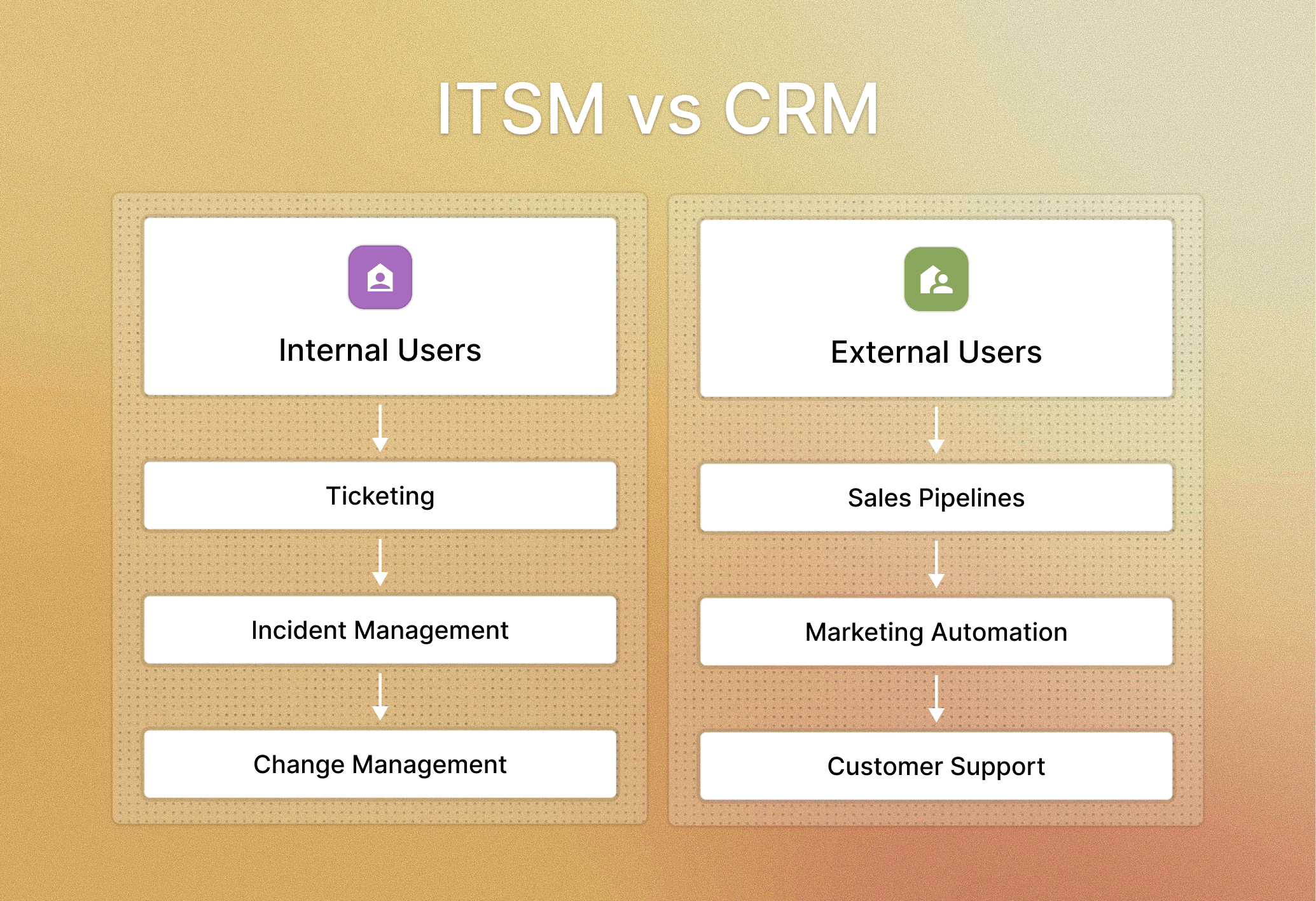
The clearest way to understand ITSM vs CRM is to look at who each system serves and why. ITSM is built for internal users who need predictable resolution. CRM is built for external customers whose interactions evolve across a lifecycle. These different audiences lead to very different workflows and expectations.
Internal vs External User Base
ITSM supports employees, contractors, and internal stakeholders.
CRM supports leads, customers, and partners.
Objectives: Cost/Efficiency vs Revenue/Growth
ITSM aims to reduce downtime, improve service quality, and control operational costs.
CRM aims to generate revenue, improve retention, and strengthen customer relationships.
Workflow Differences
The workflow differences between ITSM AND CRM are categorized below.
Feature | ITSM | CRM |
Workflow Type | Linear, SLA-driven | Relationship and pipeline-driven |
Data Model | Incident/request metadata | Account/contact/opportunity metadata |
Assignment Rules | Skill-based, queue-based | Owner-based (sales territories, regions) |
Reporting | Root cause, SLA performance | Forecasting, revenue attribution |
Primary User | Employee | Customer/prospect |
With these distinctions, the right tool becomes clear: ITSM supports internal operations, while CRM supports external relationships. Problems arise only when teams attempt to merge them into a single system.
Why Forcing IT Tickets into a CRM Fails Employees
Some teams try to use Salesforce or HubSpot for IT tickets because they are already in place. But CRMs lack built-in structures for service management, creating friction for employees and complexity for support teams. These limitations reflect why combined CRM vs ITSM systems often fail when applied to real workflows.
CRMs do not enforce SLAs, queue management, or incident categorization. They also lack metadata for technical root-cause analysis. As a result, IT teams end up customizing objects, building workarounds, or relying on fields meant for sales, not service.
Employees experience confusion when submitting tickets because CRM interfaces depend on customer-facing terminology. Meanwhile, IT teams struggle to report on incident trends, response times, or system issues.
Where CRMs Break Down for Internal IT Support
No SLA timers or escalation logic
No incident classification or change management
Limited automation for IT triage
Poor visibility into root causes and recurring issues
Forms and fields designed for sales, not employees
Trying to force IT workflows into a CRM ultimately creates a poor employee experience and undermines the reliability required for operational support.
Why IT Teams Can’t Replace Their ITSM With CRM Features
Vendors increasingly promote cross-functional add-ons. ITSM tools like ServiceNow add customer modules, while CRM tools like Salesforce add ITSM-style features. But despite these expansions, the underlying architectures remain centered on their primary audiences. ITSM is optimized for internal operations, while CRM is optimized for customer engagement.
The challenge is that extending each platform beyond its core purpose introduces complexity. ITSM modules inside CRM platforms inherit sales-centric data models. CRM features inside ITSM service providers inherit service-centric logic. Neither becomes a true replacement for the other.
This matters because IT and sales require fundamentally different workflows. Trying to merge them dilutes both, adds administrative overhead, and creates confusion about roles, ownership, and reporting.
Rather than replacing systems, most organizations benefit from integrating them, especially through a shared operational layer where employees already work: Slack.
How Ravenna Integrates With ITSM and CRM Tools for Internal Support
Most employees spend their day in Slack, not in ITSM or CRM portals. Ravenna connects those conversations to the right systems while keeping the entire employee experience inside Slack. When teams use CRMs like Salesforce or HubSpot for customer work, Ravenna simply prevents internal requests from leaking into those tools by routing them correctly.
Ravenna captures Slack threads and turns them into structured ITSM tickets, preserving context and routing them through the right queues.
What Ravenna Enables
Auto-create ITSM tickets from Slack conversations.
Route FAQs and simple requests before they reach ITSM or CRM.
Maintain clean systems of record without forcing portal logins.
Reduce manual triage through automated workflows.
This approach helps organizations get more value from both ITSM and CRM without stretching either system beyond its intended purpose.
Final Decision Framework for ITSM vs CRM
Deciding between ITSM vs CRM comes down to choosing the right tool for your audience and workflow. If the goal is resolving internal IT issues, an ITSM provides the structure, SLAs, and reporting required for reliability. If the goal is managing prospects, customers, or revenue activities, a CRM aligns with relationship-driven workflows.
Many teams will continue using both, and the key is integrating them through the tools employees already use. Instead of forcing every workflow into a single outdated platform, organizations see better results by running internal support in Slack, connected to their existing systems when needed. Ravenna provides that Slack-first support layer, combining ITSM structure with the speed of conversational workflows. Get in touch with us to understand how Ravenna can support your workflows.
FAQs
What is the difference between ITSM and CRM?
The difference between ITSM and CRM comes down to audience and workflow. ITSM manages internal service processes like incidents, access requests, and changes, while CRM manages external customer relationships, sales pipelines, and revenue workflows. When comparing ITSM vs CRM, ITSM is built for employee support and operational uptime, whereas CRM focuses on customer lifecycle management.
Can a CRM replace an ITSM platform for internal support?
A CRM cannot replace an ITSM platform because it lacks core service-management functions like SLA tracking, incident categorization, change workflows, and root-cause reporting. If you’re wondering why CRM doesn’t work for tickets, you’ll discover that CRM tools create friction for employees and lead to broken IT processes. An ITSM is purpose-built for internal support, while a CRM is purpose-built for revenue operations.
Why do IT teams prefer ITSM tools over CRM systems?
IT teams prefer ITSM tools because they support structured internal workflows, enforce SLAs, and offer incident, request, and change modules that CRM systems do not provide. When evaluating CRM vs ITSM workflows, ITSM offers governance and reliability, while CRM centers on customer engagement. This makes ITSM the correct choice for internal service management.
Can businesses use ITSM and CRM together?
Yes. Many businesses use ITSM and CRM together because they solve different problems. ITSM improves internal operations, while CRM manages customer relationships. If you’re exploring ITSM vs CRM for your team, the ideal setup keeps IT workflows in ITSM and customer workflows in CRM, connected through Slack or automation tools to prevent workflow overlap.
What is the best approach for teams choosing between ITSM vs CRM?
Teams should choose ITSM for internal support and CRM for customer-facing work. The best approach is to evaluate workflows: if the goal is resolving incidents and service requests, ITSM is the correct system; if the goal is managing prospects or customers, CRM is appropriate. Your ITSM vs CRM decision will benefit most from keeping each system focused on its strengths while using a Slack-first support layer to unify the experience.



