

You've probably submitted a help desk ticket and waited days for someone to fix what should have been a five-minute request. As AI service desk solutions change how teams handle support, businesses are replacing clunky traditional systems with tools that match how people communicate today. Logging into separate portals and filling out endless forms no longer works in fast-paced environments.
TLDR:
AI service desks can reduce manual ticket costs dramatically by automating routine requests, often eliminating human involvement for common workflows.
Resolution times drop from hours to minutes, with AI agents solving common issues instantly and escalating only complex requests to team members.
Knowledge grows with every interaction as AI systems learn from resolved tickets, building a self-improving knowledge base that drives faster responses.
An AI service desk is an intelligent IT support system that uses artificial intelligence, machine learning, and automation to manage, triage, and resolve service requests faster and more efficiently than traditional support systems. Unlike traditional help desks that rely heavily on manual processes, AI service desks use advanced algorithms to automatically categorize requests, suggest solutions, and even resolve common issues without human intervention.
The core difference lies in intelligence. Traditional systems are digital filing cabinets that depend on manual routing and rigid rules. AI service desks understand context, learn from customer interactions, and continuously improve their responses.
AI service desks process requests, understand intent through natural language processing, gather missing context, and resolve issues before they become bottlenecks. These systems integrate multiple AI tools to optimize workflows and deliver faster resolutions.
These systems integrate multiple AI technologies working together. Text processing interprets employee requests written in everyday language. Machine learning algorithms identify patterns and improve accuracy over time. Automation engines execute workflows and trigger actions based on intelligent analysis.
Modern AI-native ITSM solutions represent the next generation of it service management technology. They're built from the ground up with AI at their core, not bolted onto legacy systems as an afterthought.
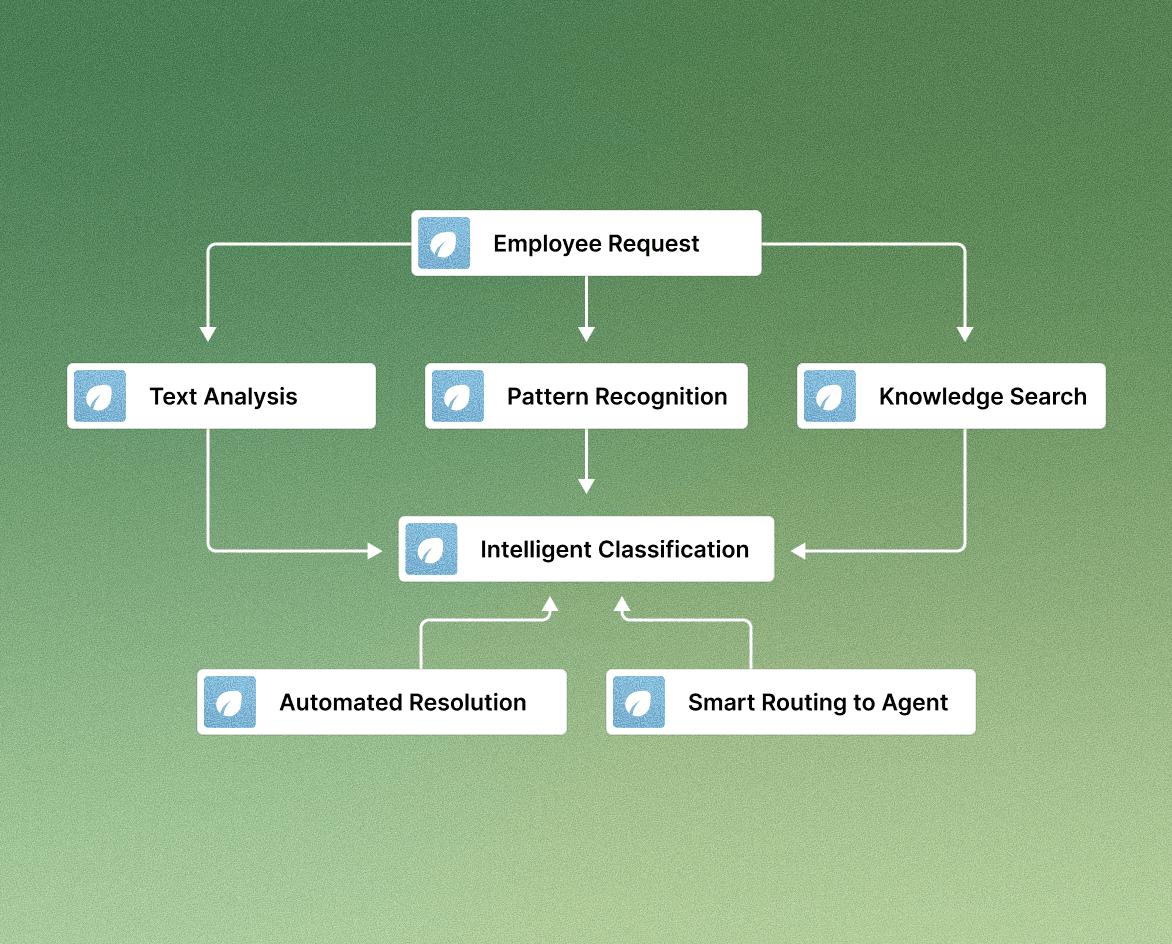
Execution-driven learning sets modern AI service desks apart. Knowledge is captured as work is completed, creating a self-improving knowledge base. When similar problems arise, the system draws from this history to provide real-time answers and improve resolution. But not all AI service desks are equal. Many stop at answering questions, while newer agentic platforms execute the work itself.
Traditional Help Desk Limitations
Traditional IT help desks are often slow, reactive, and expensive to operate. Manually handling a help desk ticket costs an average of $22 per interaction, according to industry research. These legacy support teams often spend excessive time on repetitive tasks such as password resets, access requests, and troubleshooting, all of which could be handled by AI agents.
The friction starts with ticket creation. Employees must leave their work, log into a separate portal, fill out dropdown forms that rarely fit their use cases, and wait endlessly for human agents to respond.
Meanwhile, agent burnout is on the rise. IT teams spend 60–70% of their time on routine tasks, which limits their ability to handle complex issues and affects overall service quality.
Traditional Help Desk Problems | Impact on Business |
Manual ticket routing | Delays and misassignments |
Separate portal access | Reduced employee adoption |
Limited self-service options | Higher costs |
No learning/knowledge management features | Repeated inefficiencies |
Reactive support model | Poor employee/customer experience and service delivery |
Slow response times mean even FAQs or simple troubleshooting requests wait in queues. The lack of integration with collaboration tools like Slack reduces scalability and lowers customer satisfaction.
Modern AI-driven Slack ticketing systems solve these challenges by embedding support where employees already work, reducing friction and improving service quality.
The pattern that stands out is visibility. When requests, decisions, and status live in the same Slack thread, people know what is happening without chasing updates. Portals can work for long forms or external submitters, but internal day-to-day support runs better where conversations already happen.
How AI Service Desks Work
AI service desks combine generative AI, machine learning, and automation to manage high-volume service requests intelligently. They analyze messages, determine urgency, and either resolve issues automatically or escalate them appropriately.
The process begins with intelligent intake. Employees describe issues in plain language, and the system uses natural language processing and predictive analytics to interpret, categorize, and prioritize the request.
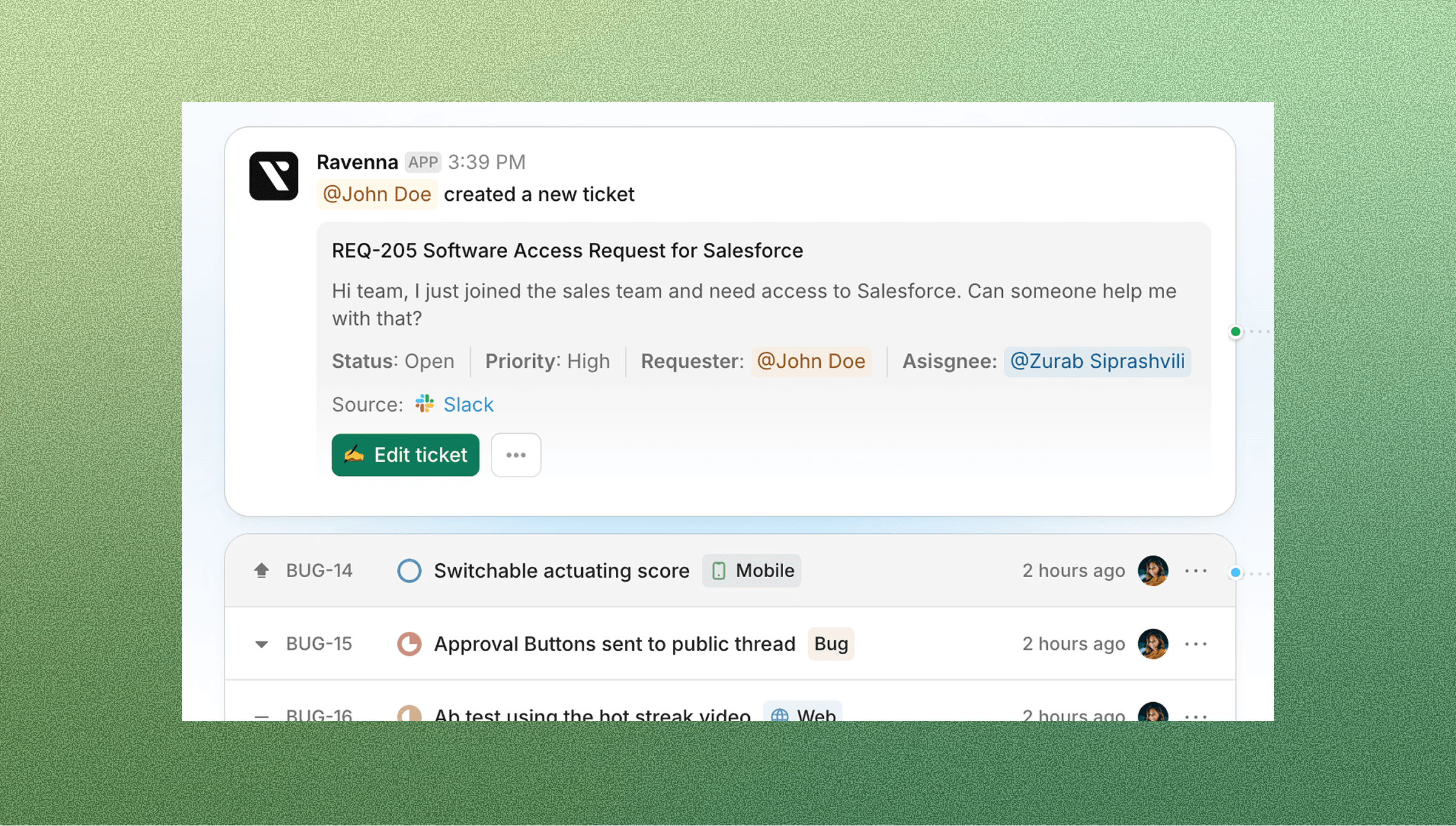
Through knowledge integration, AI service desks connect to resources like Confluence, Notion, Google Drive, and Slack to deliver accurate, context-specific answers. Modern systems apply agentic automation to handle multi-step workflows, gather missing details, and complete complex tasks independently.
Each interaction strengthens the intelligence layer, which learns from outcomes to improve precision and overall performance over time. As AI agents and copilot systems learn from metrics, customer interactions, and issue resolution data, accuracy improves continuously. Combined with workflow automation, AI service desks execute multi-step processes such as onboarding, asset management, and approvals without human intervention.
Key Benefits of AI Service Desks
Organizations implementing AI service desks report major gains in resolution times, support effectiveness, and customer satisfaction.
Faster resolutions: Routine password resets, ticket routing, and access requests are automated instantly.
Reduced costs: Each manual task automated means fewer hours wasted on repetitive labor.
Improved employee morale: Teams can focus on complex issues that require human expertise.
Enhanced scalability: Systems handle high-volume tickets while maintaining consistent service delivery.
Better user experience: Employees can access self-service features directly within Slack.
AI service desks also provide visibility through metrics and analytics dashboards, helping IT departments optimize processes and improve service quality. This allows leaders to focus on continuous improvement and measure satisfaction at scale.
Slack Native AI Service Desks
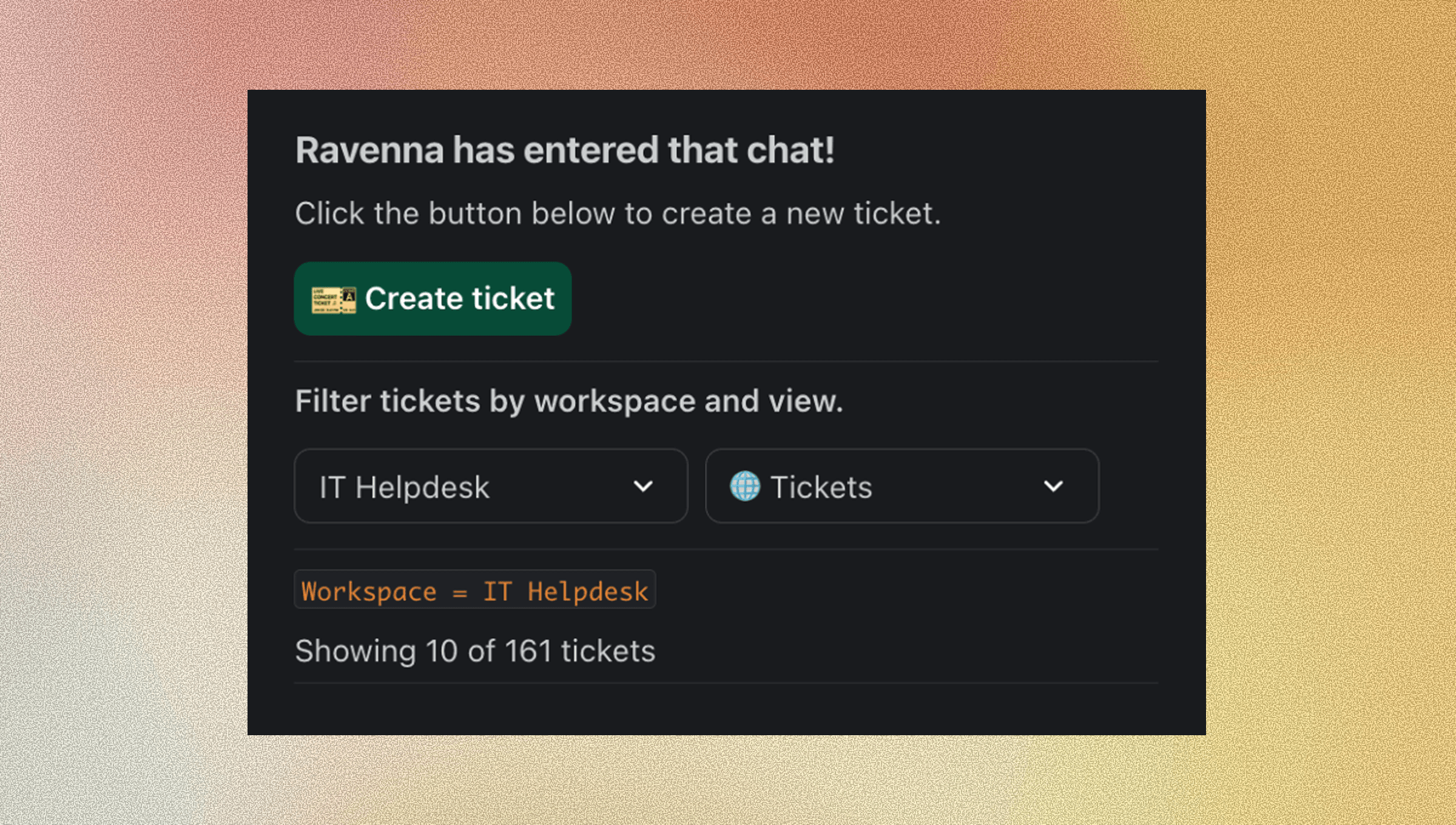
According to Slack's research, when given the option, employees submit over 70% of their requests through Slack. This proves that people prefer support systems that fit within their everyday IT operations.
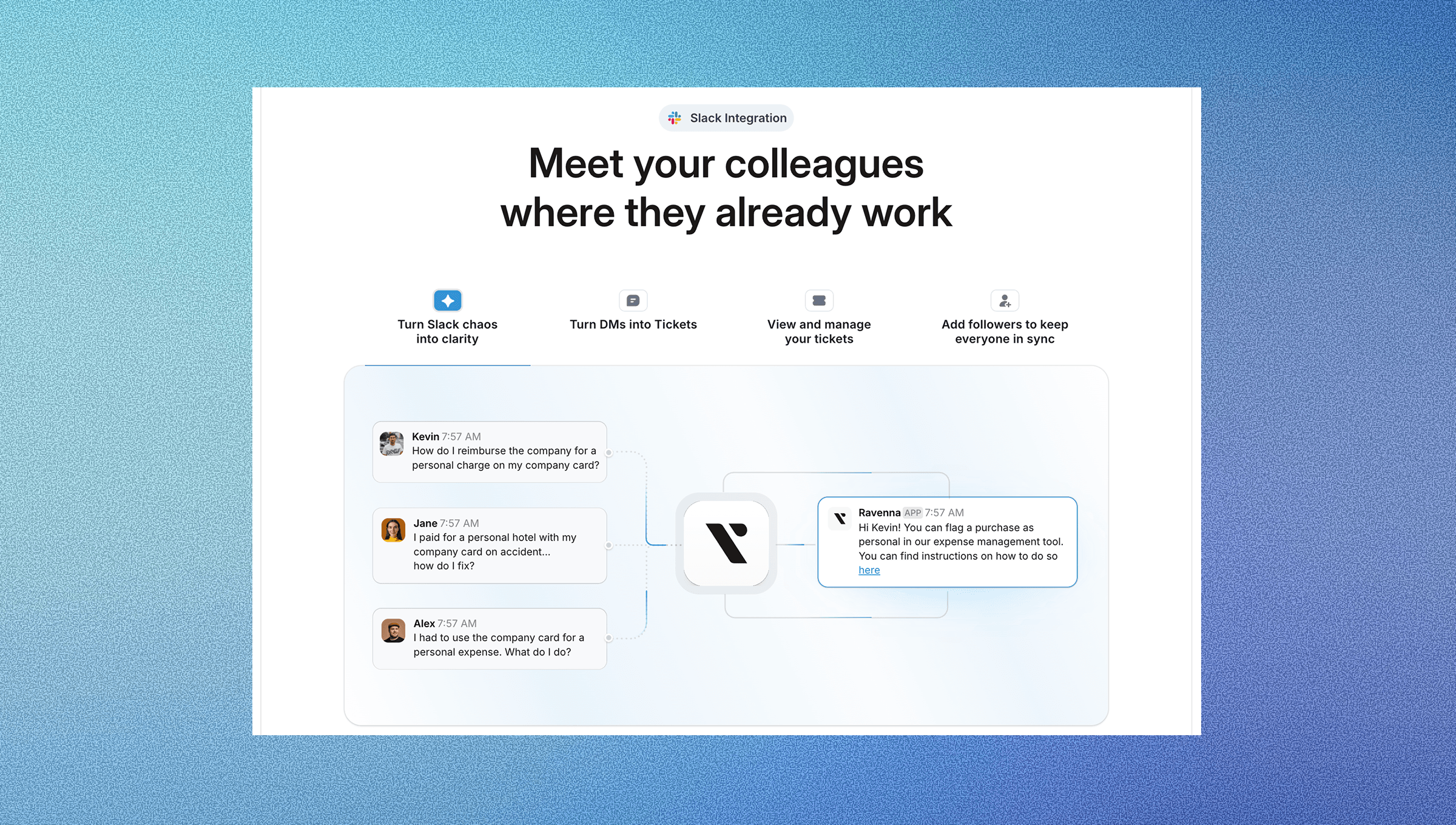
Slack-native service desks use AI agents and conversational AI to deliver real-time help. They preserve context across threads, messages, and customer interactions, which traditional tools lose when switching between portals.
AI in Slack feels natural. Employees describe their issues, and AI-powered systems act as intelligent copilots, asking clarifying questions and recommending FAQs or documentation.
Context preservation is a major advantage. When someone asks for help in a Slack channel, the AI can see the conversation history, understand what the team is working on, and provide more relevant assistance. Portal-based systems operate in isolation and lose this context as a result.
This collaborative structure lets support teams learn collectively, improving knowledge management and cross-team collaboration. Slack-native systems handle the entire lifecycle: ticket creation, escalation, and resolution without leaving the app, creating a great user experience.
Implementation and Getting Started with AI Service Desks
Native Slack solutions can be implemented in just a few days. Compared to traditional help desk tools like Salesforce Service Cloud or Zendesk, which require weeks of integration, Slack-first AI systems can be deployed and scaled rapidly.
Start small. Pilot with an IT department or a team open to change. Clean up your knowledge base before launch to improve resolution accuracy.
Knowledge base setup is critical for AI effectiveness. Before launching, audit your documentation in Confluence, Notion, or Google Drive. The system is only as good as the knowledge sources you connect to it.
Integration planning should happen early. Identify which systems the AI service desk needs to connect with: identity providers like Okta, project management tools, and existing ticketing systems. Because native solutions are built for modern workflows, they typically also offer more integrations.
Define success metrics upfront. Track resolution times, employee satisfaction scores, automation rates, and cost per ticket to show ROI and guide optimization efforts.
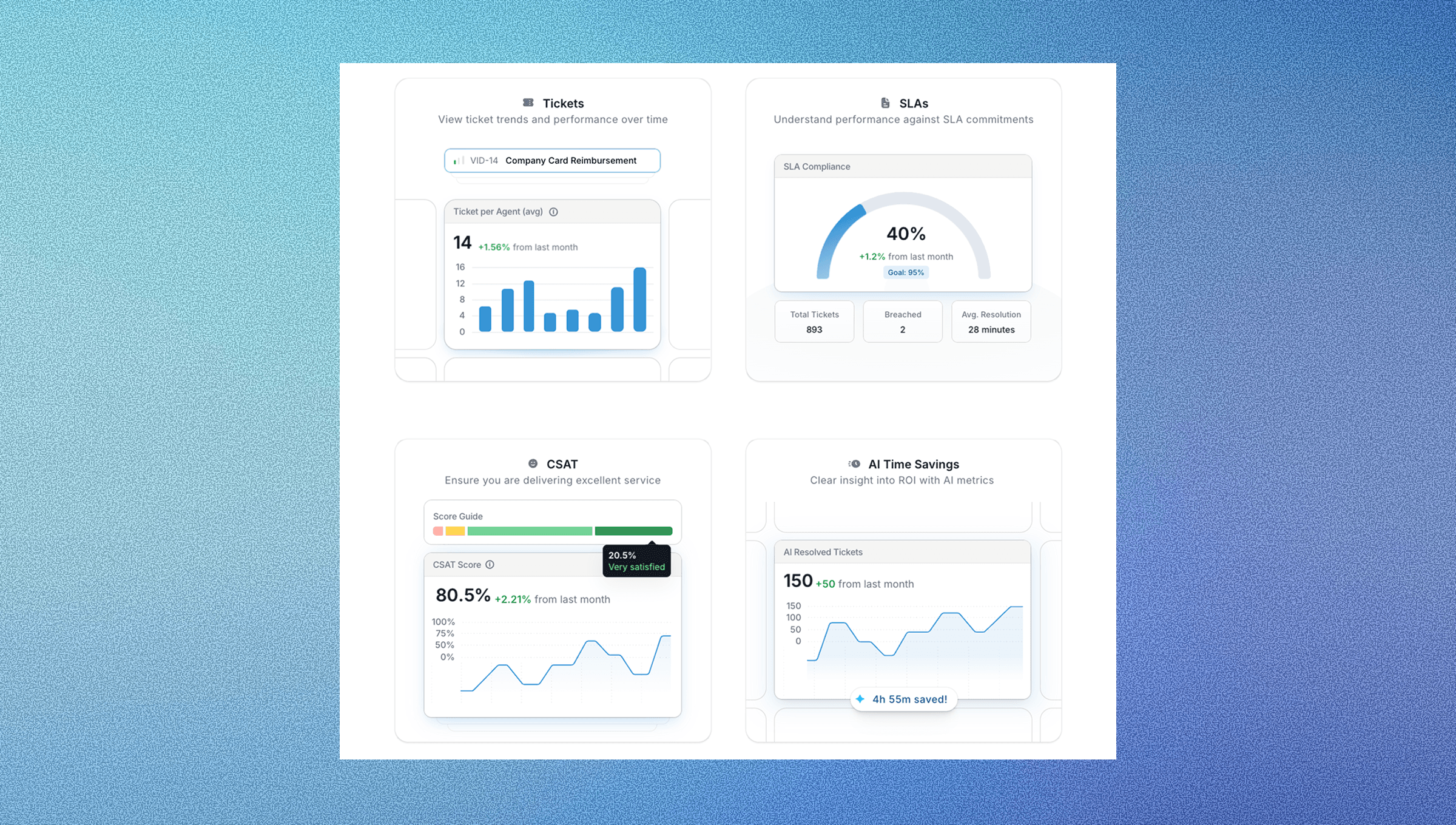
Instead of spending most of your time training end users, focus on training agents to work alongside AI. Teach them when to intervene and how to improve responses over time using clear request type definitions that help the system understand your organization's needs and route requests correctly.
Moving Beyond Simple AI Service Desk with Ravenna
While most AI tools promise automation, few move beyond simple ticket management to true workflow orchestration. Many solutions still require separate logins and focus on answering questions instead of completing work.
Ravenna takes a different approach as a workflow automation platform built natively for Slack. Instead of just routing tickets, Ravenna acts as an automation layer that executes end-to-end workflows across IT, HR, and Operations.
The platform uses specialized AI agents that don't just understand requests but complete them. When an employee needs software access, Ravenna doesn't create a ticket for someone to process later. It integrates with Okta to provision the access, updates the appropriate groups, notifies stakeholders, and closes the loop automatically.
Ravenna's visual workflow builder lets IT teams design and maintain complex automation without writing code. The platform coordinates processes across tools like Google Workspace, BambooHR, HiBob, Rippling, Jamf, and Kandji, handling everything from new hire onboarding to device management to offboarding sequences.
This approach augments IT teams instead of replacing them. By automating the 20–30% of routine requests that consume disproportionate time, Ravenna enables IT professionals to focus on strategic initiatives while AI handles repetitive work.
Final Thoughts on Choosing AI Service Desks Over Traditional Help Desk Systems
Legacy systems drain productivity through manual processes and poor user experience. The future lies in AI-powered workflow automation platforms that understand context, execute complete processes, and handle routine work so IT teams can focus on complex challenges that require human expertise.
AI-powered service desks reduce friction and augment human teams by automating repetitive workflows, allowing IT professionals to focus on high-impact work that drives business value.
FAQ
How long does it take to implement an AI service desk?
Native Slack solutions typically deploy within 2–5 days, while traditional help desk tools can take weeks.
What's the difference between AI service desks and traditional help desks?
AI service desks use machine learning to automatically categorize, rank, and often resolve requests without human intervention, while traditional help desks rely on manual processes and rigid routing rules that require constant human oversight.
When should I consider switching from my current help desk solution?
If your support teams spend 60-70% of their time on repetitive tasks like password resets, an AI service desk can provide immediate benefits.



