



Today, we’re launching native Mobile Device Management (MDM) integrations that connect Ravenna directly to the systems your IT team relies on to manage hardware and resolve device issues faster.
We’re starting with MDM integrations for Jamf, Fleet, and Iru.
Device Context in Every Ticket
IT teams deal with a constant stream of device-related issues like slow machines, failing batteries, lost laptops, and more. Resolving these quickly depends on having the right context, and that context usually lives in your MDM.
Now, when you open a ticket in Ravenna, device details are available directly in the sidebar. Your team gets immediate visibility into the employee’s hardware without switching tools or asking the employee to look it up.
Your team gets the information they need the moment they open the ticket.
AI That Understands Hardware
That same device data is also available to Ravenna’s AI. When drafting responses or suggesting next steps, the AI understands the user's actual hardware situation.
If an employee reports their laptop is slow, the AI can see whether they're running low on storage, using an older device, or simply haven’t restarted their device recently. Suggestions are grounded in real device context, making responses more specific and actionable.
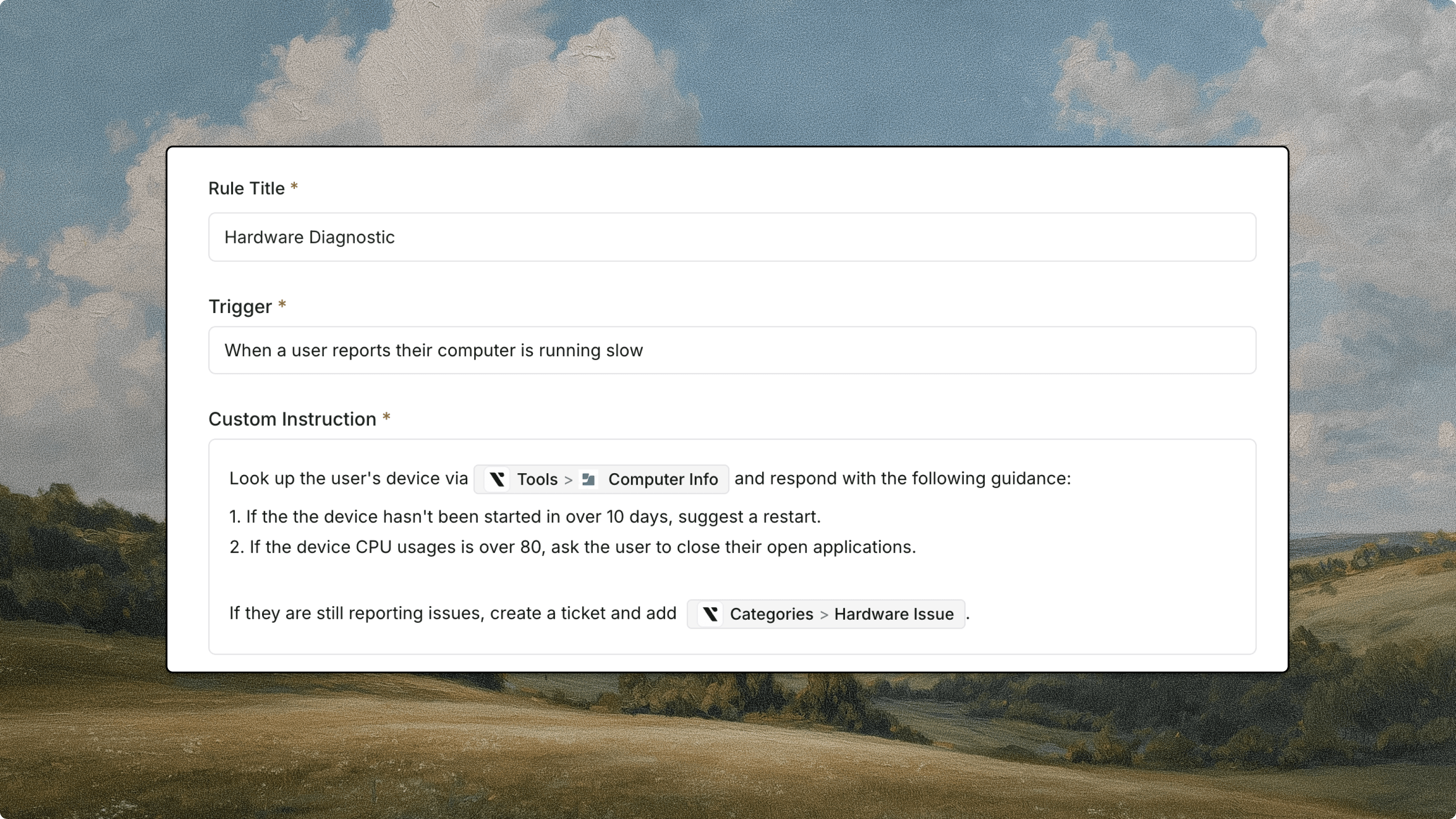
Take Action Through Workflows and Skills
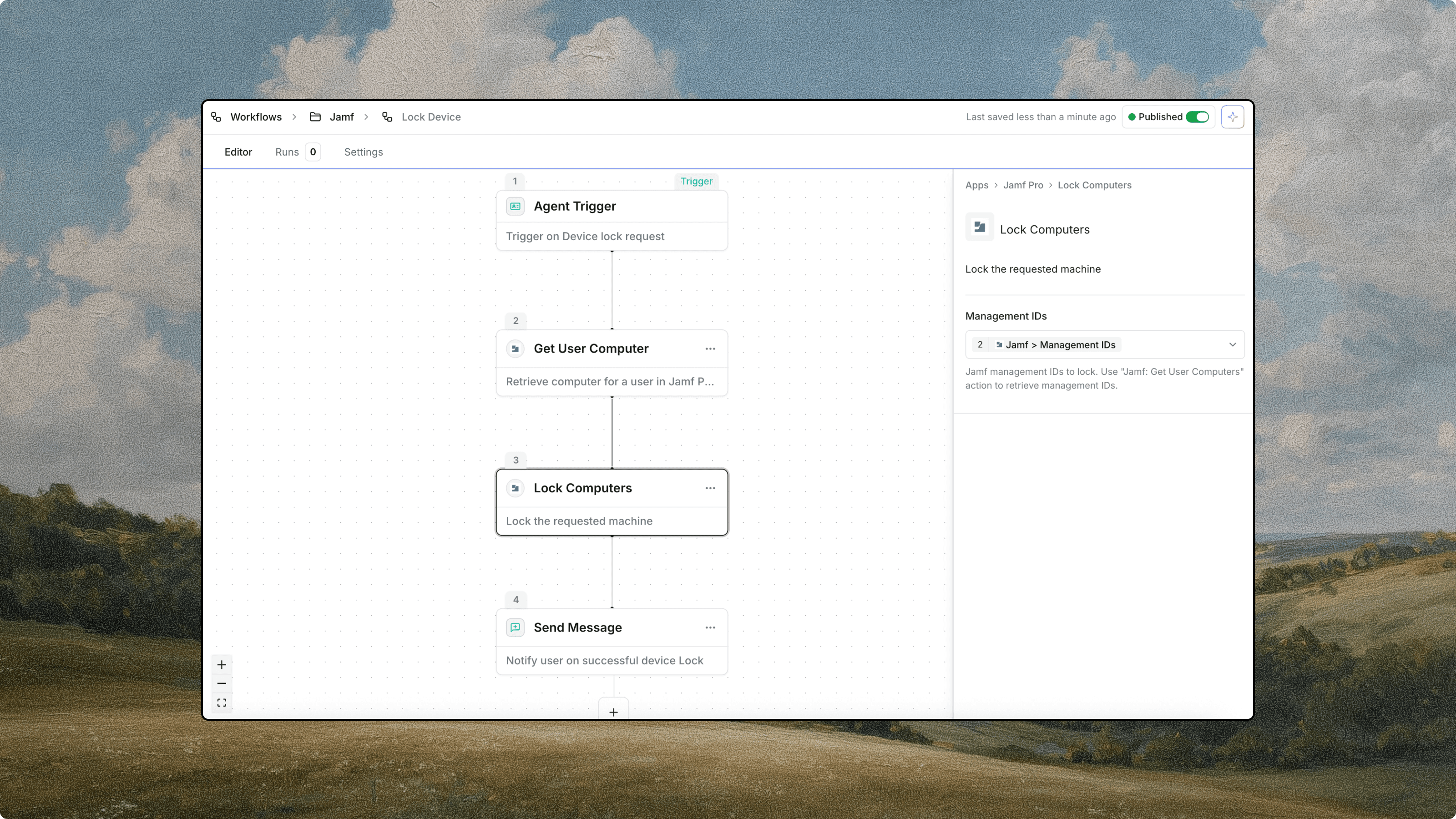
Context is valuable, but action is where automation really matters. These integrations also bring device action into Ravenna Workflows and Agent Skills.
Need to lock a stolen laptop? Restart a frozen machine? Wipe a device before offboarding? You can trigger these commands automatically as part of a workflow, or let an Agent execute them based on the conversation.
This makes it possible to automate device requests end-to-end, from the initial message to resolution.
Get Started
These integrations close the gap between your service desk and your hardware. Your team gets instant context, smarter AI assistance, and the ability to act without leaving Ravenna.
MDM integrations for Jamf, Fleet, and Iru are available today. If you're a Ravenna customer, head to Settings to connect your MDM and start seeing device context in your tickets.
If you're new to Ravenna, we'd love to show you how these integrations and the rest of the platform can transform your IT service desk. Click here to schedule a demo.
To learn more about Ravenna Integrations, please visit our documentation.



