

The conversation around AI service desks has shifted. Teams aren't debating whether to bring an LLM into support operations anymore. They're asking which one handles their request mix and how to connect it without building a custom integration layer they'll need to maintain forever. Claude has traction because it interprets multi-step requests accurately and integrates through Anthropic's API without requiring a full platform swap. What you need now is a clear path to integrate service desk with Claude in a way that eliminates manual triage and executes resolutions across your systems.
TL;DR:
Claude handles ambiguous multi-part requests and integrates via API, webhooks, or middleware layers
You can deploy a working integration quickly by starting with one repeatable request type
Password resets and software access requests tend to deflect at higher rates than complex troubleshooting, given their predictable resolution paths
Track deflection rate by category and agent hours recovered to measure real capacity gains
Ravenna's workflow automation platform connects Claude's reasoning to execution across Okta, Google Workspace, and HRIS
Why Service Desks Are Integrating With Claude
Ticket queues are growing faster than IT teams can hire. Employees expect instant answers, not a 48-hour wait on a request that takes two minutes to resolve. That gap is pushing IT leaders toward AI-assisted service desks, and Claude has become one of the more serious options worth understanding.
Claude is an LLM built by Anthropic, designed with a focus on reasoning accuracy and safe, predictable outputs. What makes it relevant to service desk work is its ability to interpret requests in context, generate accurate responses, and fit inside larger automated workflows through Anthropic's API.
The actual draw for IT teams comes down to a few structural advantages:
Claude handles ambiguous, multi-part requests well, which matters because real support questions rarely arrive as clean single-intent tickets.
It produces consistent, policy-aware responses when given the right context, reducing the variance that comes from routing requests across different agents.
It integrates into existing workflows through API access, so it can operate inside the tools your team already uses without requiring a full platform replacement.
The clearest signal that this shift is real: IT teams aren't asking whether to bring AI into service desk operations anymore. The question is which LLM fits the work, and how to wire it in without creating a new maintenance burden.
Core Integration Methods for Service Desk Teams
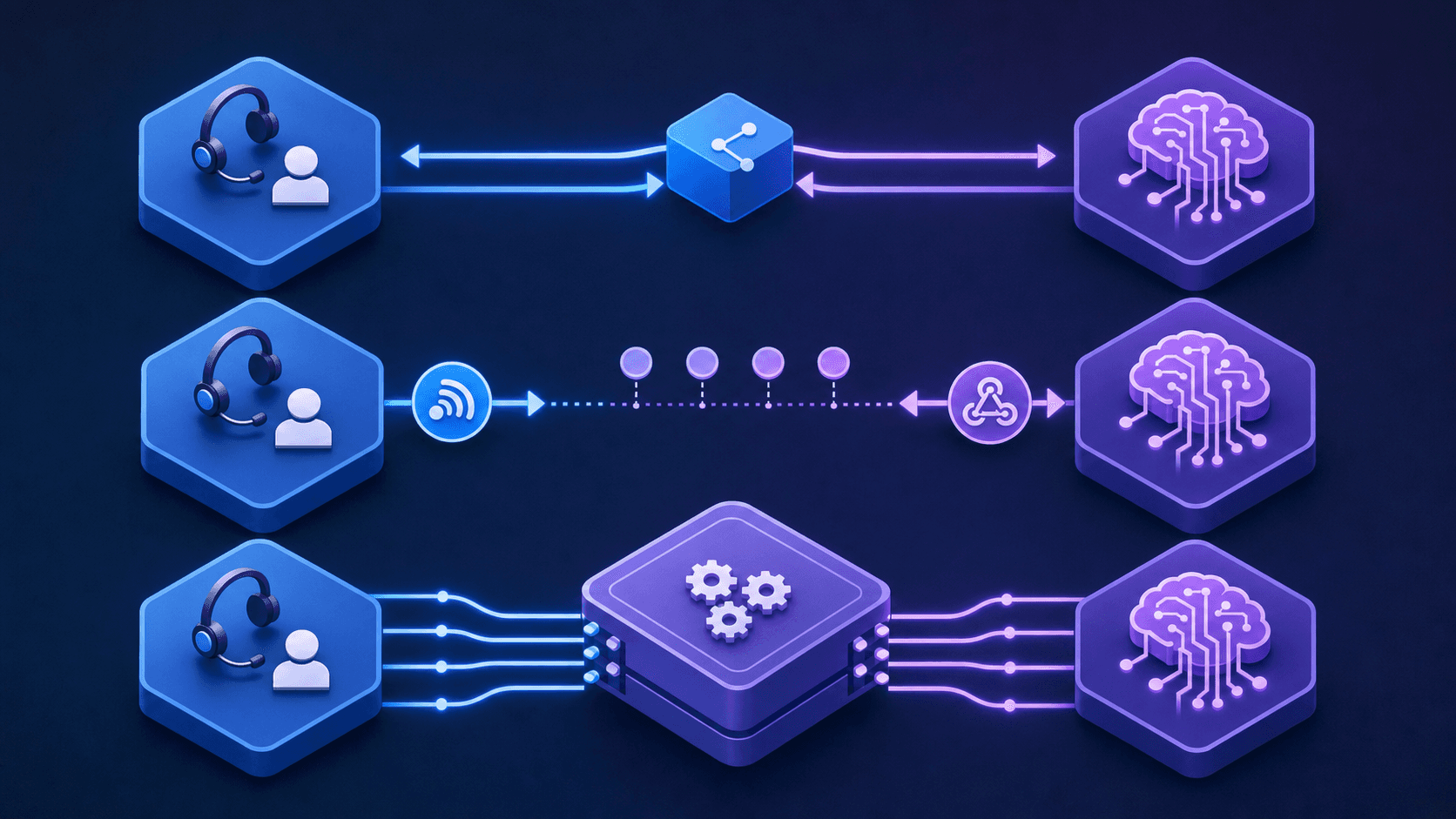
There are three primary ways to wire Claude into a service desk workflow, and the right choice depends on where your team's manual work actually lives.
API-Based Integration
Direct API integration gives you the most control. Your service desk sends ticket data, user context, and conversation history to Claude via Anthropic's API, and Claude returns structured responses your system can act on. This works well for teams that want Claude handling classification, draft responses, or resolution suggestions within an existing ticketing workflow.
Webhook and Event-Driven Integration
Webhook-based setups let Claude respond to specific triggers: a ticket is filed, a priority changes, an SLA threshold is crossed. Claude receives the event payload, processes it, and returns an action or response. This keeps Claude in the loop without requiring synchronous calls on every interaction.
Middleware and Workflow Automation Layers
For teams without dedicated engineering resources, connecting Claude through a workflow automation layer like Ravenna is the more practical path. Instead of building and maintaining custom API logic, the automation layer handles the connection between Claude, your service desk, and the downstream systems where work actually gets done.
Integration Method | Best For | Engineering Lift |
|---|---|---|
Direct API | Full control, custom logic | High |
Webhooks | Event-triggered automation | Medium |
Workflow automation layer | Rapid deployment, multi-system orchestration | Low |
Five Service Desk Use Cases Where Claude Delivers Immediate Value
Before walking through where Claude adds the most traction in a service desk context, it helps to understand what makes these use cases work. The highest-value scenarios share a common trait: the request follows a predictable path, the resolution requires pulling from a defined knowledge source, and the cost of a slow or inconsistent response is visible. Claude performs well precisely here.
Password Resets and Account Unlocks
Few requests hit service desks more frequently, and few carry a lower ceiling on complexity. An employee is locked out, submits a request, and waits. Claude can read the incoming message, verify the request against your identity provider, and return step-by-step resolution instructions without a technician ever touching the ticket. For orgs running Okta or Azure AD, this is one of the fastest paths to measurable deflection.
Software Access Requests
Employees requesting access to a tool typically need to know whether they're eligible, who approves it, and how long it takes. Claude can pull that context from your knowledge base and respond immediately with the right answer and next steps, cutting out the back-and-forth that buries IT queues.
VPN and Remote Connectivity Troubleshooting
Connectivity issues follow narrow diagnostic trees. Claude can walk employees through configuration checks, common failure points, and escalation paths without requiring a live agent for the majority of cases.
New Hire Onboarding Questions
First-week employees ask the same questions at high volume: where to find tools, how to set up accounts, who to contact. Claude handles these consistently at any hour, pulling from onboarding documentation to give accurate answers without routing every question to an already-stretched IT or HR team.
Policy and Compliance FAQs
Questions about acceptable use, data handling, or device policy require accurate, up-to-date answers. Claude can serve as the first line of response here, pulling from approved policy documentation so employees get the right information without creating noise in the ticketing queue.
Setting Up Your First Claude Integration in Under an Hour
Before you write a single line of configuration, it helps to map out what you actually want Claude to do. Most integrations that stall do so because the scope was never defined: teams start broad, hit complexity, and back off. Start narrow instead.
Here is a practical sequence that gets a working integration running without extensive setup.
Step 1: Define the Trigger and the Task
Pick one repeatable request type your service desk handles every day. Password resets, software access requests, or VPN troubleshooting are good candidates. Write down the trigger (an employee message in Slack, a form submission) and the expected output (a confirmation, a provisioned account, a knowledge article surfaced).
Step 2: Connect Claude to Your Ticketing Data
Use Anthropic's API to pass ticket context directly into Claude's prompt. Feed it the ticket title, description, requester history, and any relevant tags. Claude reads that context and classifies intent, drafts a response, or flags the ticket for escalation based on what you've instructed it to do.
Step 3: Set Boundaries on What Claude Can Do
Define what Claude resolves autonomously versus what it hands off in an agentic service management model. A well-scoped integration might have Claude draft responses for agent review at first, then graduate to autonomous resolution for low-risk request types as your team builds confidence in the outputs.
Step 4: Test With Real Ticket Samples
Pull 20 to 30 closed tickets from your queue and run them through the integration before going live. Check whether Claude's classifications and responses match what your team would have done. Gaps here are easier to fix before users are in the loop.
Authentication, Security, and Compliance Considerations
When you connect Claude to your service desk, you're introducing an AI system that will touch employee requests, internal knowledge, and potentially sensitive system actions. Getting the security and compliance posture right before you go live isn't optional.
Four areas require attention before you go live: access controls, data handling, audit trails, and human review gates.
Access and Authentication
Apply the principle of least privilege: grant Claude only the permissions required for its specific role.
The API credentials or service account connecting Claude to your ticketing system, knowledge base, and downstream integrations should be scoped tightly.
If Claude's role is to read tickets and draft responses, it does not need write access to your identity provider.
Data Handling and Retention
Understand what Anthropic does with the data you send through the Claude API. For most enterprise use cases, you'll want to confirm that conversation data is not used for model training, and that your retention and deletion policies align with any regulatory requirements your organization holds, whether that's SOC 2, HIPAA, or GDPR.
Audit Trails
Any action Claude takes on behalf of a user should be logged in your agentic workflow automation setup. If the integration routes a ticket, updates a record, or triggers a workflow, there should be a traceable record of what happened and why. This matters both for compliance reviews and for debugging when something goes wrong.
Human Review Gates
For consequential actions, build in approval steps before Claude executes. A request to offboard a contractor or grant privileged access shouldn't fire automatically. Routing those through a human confirmation loop keeps the integration safe and auditable.
Optimizing Claude Performance and Managing API Costs
Once Claude is live in your service desk, two things will determine whether it stays useful: how well it performs on your actual request mix, and whether the API costs stay predictable as volume grows.
Tuning Prompt Quality
The single biggest lever on response quality is prompt design. Claude performs best when system prompts include explicit role framing, a clear scope of what it should and should not handle, and examples of ideal responses for your most common request types. Vague prompts produce vague answers.
Watching the Right Metrics
Track these to catch degradation early:
Deflection rate by category, so you can see which request types Claude handles well versus where it consistently escalates.
Escalation accuracy, meaning whether the requests Claude hands off actually needed a human or were misclassified.
Response confidence trends over time, which often surface when your knowledge base has drifted out of date.
Keeping API Costs Under Control
Claude's API pricing is token-based, so cost scales with message length and conversation depth. A few adjustments keep spend predictable:
Set a max token budget per conversation and enforce it in your integration layer.
Cache frequent system prompt content where the API supports it, since repeating identical context on every call is the most common source of unnecessary spend.
Route simple, high-confidence requests to a lighter model tier if your volume supports the added routing logic.
Neither performance nor cost management requires continuous engineering attention once the initial configuration is dialed in.
Measuring ROI: Metrics That Matter for AI Service Desk Integration
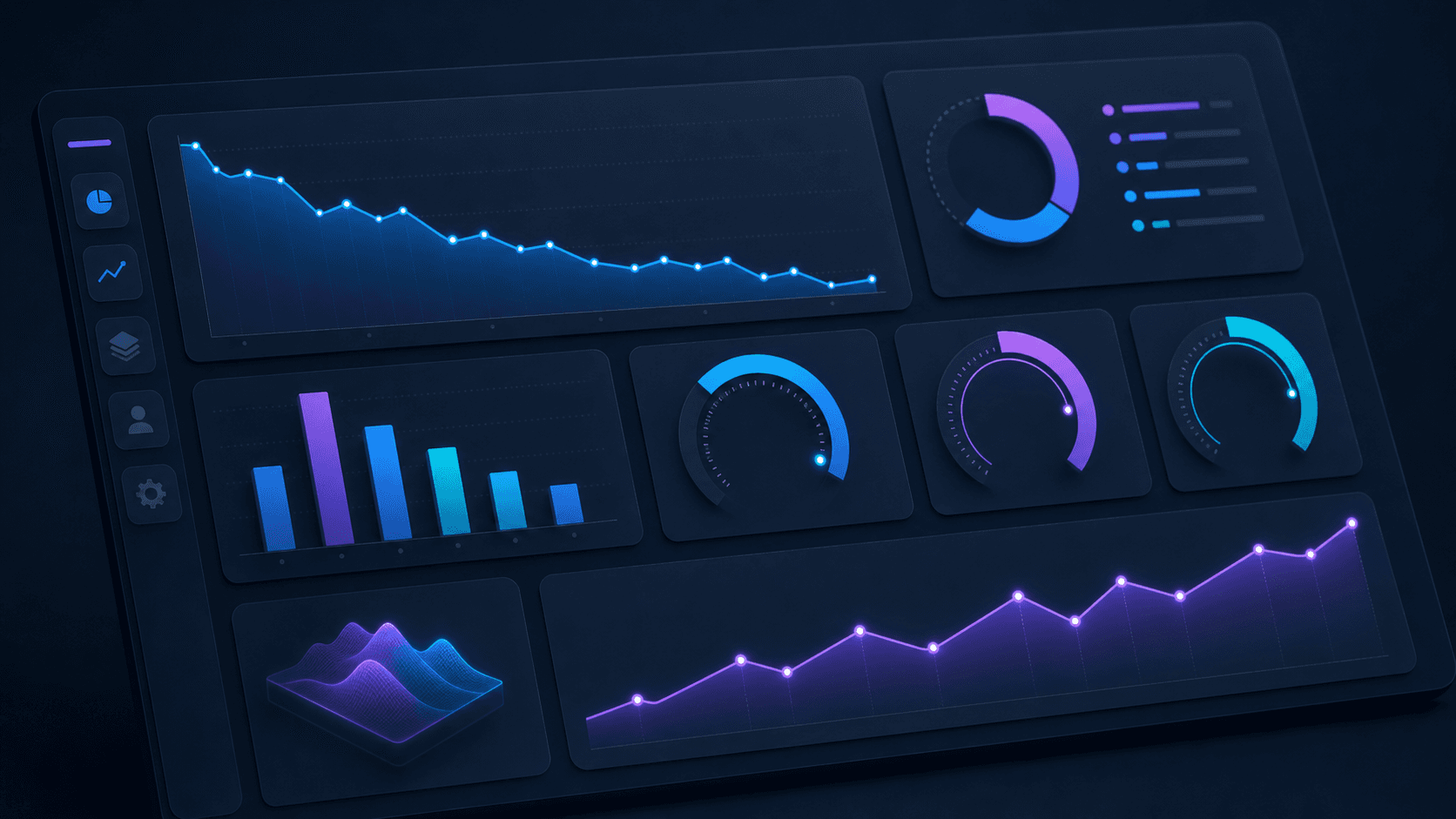
Before tracking ROI, you need to know which numbers actually reflect the health of your integration instead of vanity metrics that look good in a slide deck but don't connect to real work eliminated.
There are four categories worth tracking closely.
Deflection Rate by Request Type
Deflection rate is the percentage of incoming requests Claude resolves without human intervention. The number that matters, though, is not the aggregate but the rate broken down by request type. Password resets and software access requests will deflect at a meaningfully higher rate than complex troubleshooting. Tracking by category tells you where to expand automation next and where human judgment is genuinely required.
Mean Time to Resolution
Track how long requests take from first contact to resolved outcome, separated by channel. Requests routed through Claude should resolve faster than those handled manually. If they are not, that signals a gap in your knowledge sources or a workflow that is not fully connected to the systems Claude needs to act in. Understanding service desk performance metrics provides additional context for measuring these improvements.
Agent Capacity Recovered
Count the hours your IT team is no longer spending on repetitive, high-volume requests each week. When analysts stop handling routine triage manually, that time can move toward higher-value work like infrastructure projects, security reviews, and things that actually require human expertise.
Ticket Volume Trends Over Time
As Claude handles more requests conversationally, formal ticket volume should decrease for eligible request types. If it does not, that is a signal worth investigating: either the integration is not surfaced where employees actually work, or the resolution paths are incomplete enough that employees are abandoning self-service and going straight to the queue.
Common Integration Challenges and How to Solve Them
Even well-planned integrations run into friction. Here are the most common obstacles teams hit when connecting a service desk with Claude, and how to work through them.
Context window constraints
Claude processes information within a fixed context window, which means very long ticket histories or large knowledge base dumps can get truncated. The fix is chunking: instead of passing an entire conversation thread, pass only the most recent exchanges plus a structured summary of earlier context. Keep knowledge base articles concise and focused so retrieval returns tight, relevant snippets instead of sprawling documents.
Inconsistent intent classification
When ticket language is ambiguous or highly domain-specific, Claude may misclassify intent. Fine-tune your system prompt with concrete examples drawn from your actual ticket history, and build a feedback loop where agents flag misclassifications so you can refine prompts over time.
Sensitive data exposure
Service desk tickets routinely contain credentials, PII, and internal system details. Before passing ticket content to any external API, strip or mask sensitive fields at the middleware layer. Define clear data handling policies and audit what gets logged on both sides of the connection.
Latency under high ticket volume
API round-trips add time to every interaction. Cache responses for high-frequency, low-variance requests like password reset instructions, and batch lower-priority enrichment calls instead of firing them synchronously on every incoming ticket when you automate help desk operations.
How Ravenna Handles Claude Integration for Service Desk Automation
Ravenna is a Slack-native workflow automation platform built to sit where IT work actually happens. When you connect it to Claude, the combination goes beyond answering questions in a chat window. Ravenna's AI agents receive a request, interpret intent, query the right systems, and execute the resolution end-to-end, with Claude handling the reasoning layer that decides what to do with ambiguous or multi-step requests.
What the Integration Actually Does
The execution path looks like this: an employee submits a request in Slack. Ravenna's IT Agent reads it, routes it through Claude to classify intent and determine the appropriate workflow, then executes across connected systems like Okta, Google Workspace, or your HRIS, without a human touching the queue. Claude acts as the reasoning engine; Ravenna's agents do the work.
A few things this covers in practice:
Password resets and account unlocks are resolved autonomously, with Claude parsing the request and Ravenna writing the change back to the identity provider directly.
Access provisioning requests get classified by Claude, matched against approval logic configured in Ravenna, and either auto-approved or routed to the right approver with context already attached.
Onboarding and offboarding workflows trigger from HRIS status changes, with Claude interpreting edge cases and Ravenna executing the provisioning or deprovisioning sequence across every connected system.
Where Ravenna Fits in the Architecture
Ravenna manages the workflow layer: triggers, integrations, approval routing, and execution state through powerful automation workflows. Claude sits inside that layer as the reasoning model, handling intent classification and decision logic for requests that don't follow a clean, predictable pattern. Neither component does the full job alone. Ravenna without a capable reasoning model handles only rigid, rule-based flows. Claude without an execution layer answers questions but leaves the actual work undone.
Together, the setup covers the requests that are routine enough to automate but varied enough to need real language understanding before the right workflow fires.
Final Thoughts on Wiring Claude into Your Service Desk Workflow
The shift from answering questions to resolving requests is architectural, not incremental. Claude reads intent well, but without an execution layer, every resolution still requires a human to finish the work. If your team operates in Slack and you want to connect Claude to the systems where work actually gets done, reach out and we'll show you what that looks like in practice.
FAQ
Can I build a service desk integration with Claude without writing custom code?
Yes. Workflow automation platforms like Ravenna handle the connection between Claude, your service desk, and downstream systems without requiring custom API logic or dedicated engineering resources. This approach eliminates the need to build and maintain middleware while still giving you Claude's reasoning capabilities integrated directly into your service desk workflows.
What's the fastest way to measure whether Claude integration is worth the cost?
Track deflection rate by request type: the percentage of incoming requests Claude resolves without human intervention. Break this down by category (password resets, software access, VPN troubleshooting) instead of looking at aggregate numbers. If password resets deflect at 70% while complex troubleshooting deflects at 15%, you know exactly where Claude delivers ROI and where human expertise remains necessary.
How do I connect Claude to my service desk if I'm running Okta and Google Workspace?
Start with a single high-volume request type like password resets or software access provisioning. Use Anthropic's API to pass ticket context (title, description, requester history) into Claude's prompt for intent classification, then connect Claude's output to your identity provider through a workflow automation layer that executes the actual account changes. The integration runs in under an hour when scoped to one workflow instead of attempting full-service desk coverage at launch.
Service desk Claude integration vs. building automation rules in my ticketing system?
Claude handles ambiguous, multi-part requests that don't fit rigid automation rules, basically requests where the intent isn't clean or the right resolution path depends on context. Traditional automation rules work well for predictable, single-intent tickets but break on edge cases. Claude excels precisely where rule-based automation fails: interpreting nuance, understanding policy constraints from your knowledge base, and adapting to requests that don't follow the expected pattern.
When should I add human approval gates instead of letting Claude execute automatically?
Add approval gates for any action that carries security or compliance consequences: offboarding workflows, privileged access grants, production system changes. Low-risk operations like surfacing knowledge articles, drafting responses for agent review, or handling password resets can run autonomously. The safest path forward: start with Claude drafting responses for human review, then graduate to autonomous execution for specific low-risk request types as your team builds confidence in the outputs.



