

Your IT team is drowning in repetitive requests, and someone just told you an agentic service desk could fix it. Now you're three demos deep, and every vendor is showing you the same chatbot with slightly different branding. Here's what they won't tell you upfront: most "agentic" platforms stop at answering questions, not taking action. If the system can't submit requests, route approvals, and provision access across your actual tools without manual intervention, it's not solving your problem. This agentic ITSM vendor guide guide walks you through the capabilities, integrations, and gotchas that separate automation platforms from glorified FAQ bots.
TL;DR:
Agentic ITSM means AI that executes actions across systems, instead of simply retrieving knowledge or routing tickets.
Evaluate vendors on three layers: reasoning (intent classification), action (cross-system writes), and execution (multi-step workflows).
Ask for containment rate metrics (70%+ on Tier 1 requests) and automation maturity trends, rather than deflection snapshots.
Probe integration architecture: native connectors vs custom API work, bidirectional vs read-only, and credential storage security.
Ravenna orchestrates workflows across tools end-to-end through a visual builder your team owns, not vendor-dependent code generation.
What Agentic Actually Means in an ITSM Context
Vendors apply the "agentic" label to almost anything with AI in it these days. Most vendors selling "AI helpdesks" today, though, are really selling just knowledge retrieval with a chat interface. That is useful, but it only handles informational queries. Real agentic capability handles the work itself. Before any vendor conversation, anchor on that definition. Everything in this checklist follows from it.
In practice, the difference shows up in how a system handles a common request, say, an employee asking for access to a SaaS tool. A knowledge retrieval system returns a link to the IT request form and closes the conversation. An agentic system identifies the requester's role and department, checks whether a license is available, routes an approval to the correct manager, waits for confirmation, provisions access in the identity provider, and notifies the employee, all without a human touching a queue. The same logic applies to onboarding sequences, password resets, device provisioning, and off-boarding workflows. Agentic means the system does the work. It executes and does not stop at describing.
This also means true agentic platforms must have write access to your connected systems, not just read access. A system that can look up a user's profile but cannot update group membership, suspend an account, or assign a license is not agentic in any meaningful sense. When vendors use the word, ask them directly: which systems can your agent write to, and what actions can it take without a human approving each step?
The Three Layers of Agentic Service Desk Evaluation
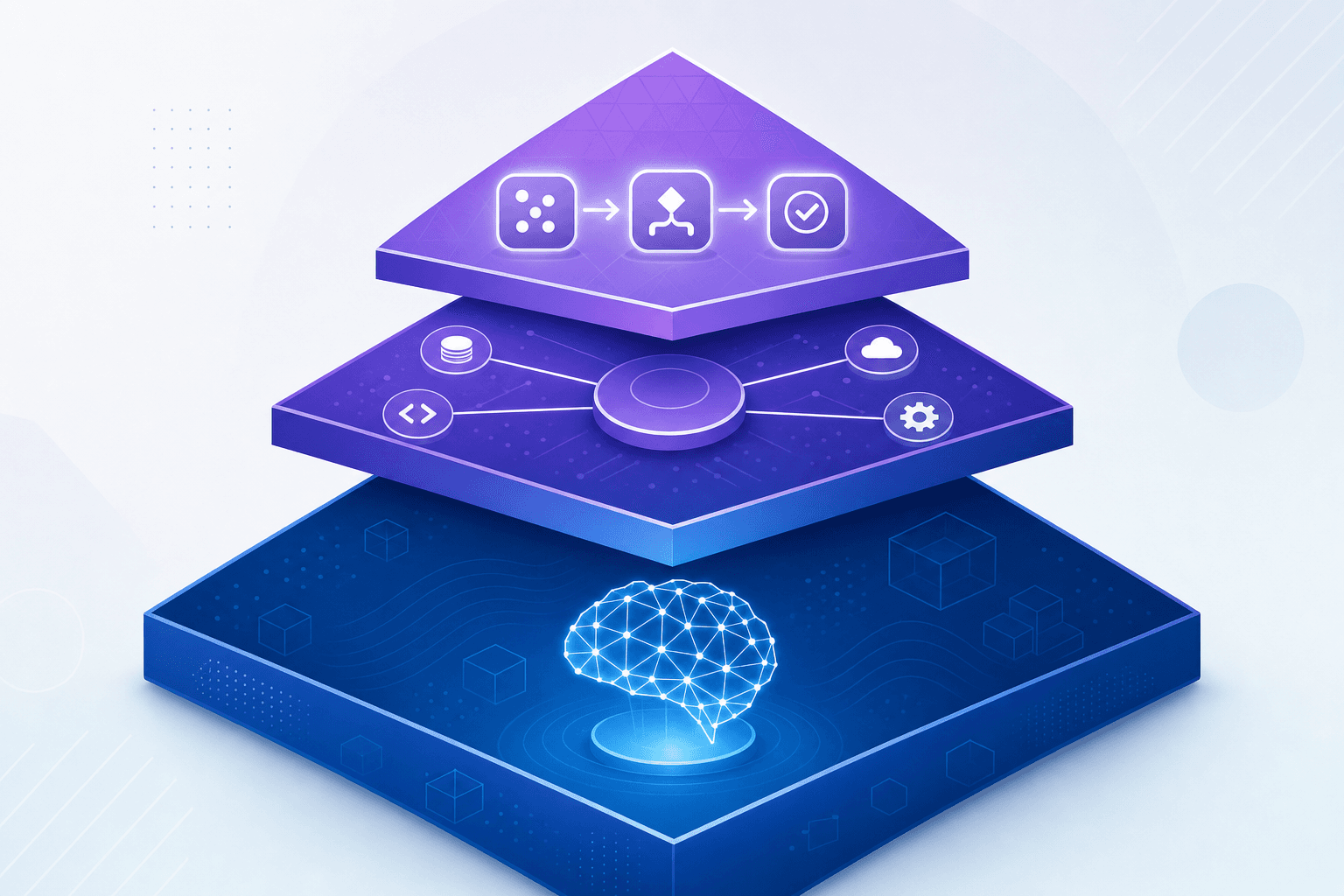
Most evaluations fail because buyers treat all AI capabilities as equivalent. Breaking the architecture into three layers gives you a structured way to probe what's real.
Layer | What It Does | Question to Ask |
|---|---|---|
Reasoning | Interprets employee intent and decides whether to answer or act | "How does your agent distinguish an informational query from an actionable request?" |
Action | Selects tools, authenticates, and executes steps across connected systems | "Which systems can your agent write to, not just read from?" |
Execution | Completes multi-step workflows end-to-end, managing approvals, branching logic, and failure states | "Walk me through a workflow spanning three tools with no human in the loop." |
Vendors confident in all three layers answer those questions without hesitation. Vendors selling layer one at a layer three price tag will ask to follow up after the call.
Core Capabilities That Separate Real Agents from Wrappers
Many vendors claim to offer "agentic" service desks, but most are glorified chatbots with a routing layer on top. The difference shows up fast when you start asking hard questions. Real agentic systems take action. They resolve tickets, trigger workflows, update records, and escalate intelligently without waiting for a human to approve each step. Thin wrappers respond with text and hand off to a queue.
Ask vendors to show you:
Whether the agent can resolve a request end-to-end without human intervention, rather than simply logging it.
How the system handles ambiguous requests where intent is unclear.
What happens when an action fails mid-workflow and whether it recovers gracefully.
Automation Maturity Metrics That Reveal ROI Potential
Vendors will quote resolution rates and ticket deflection numbers freely, but those figures mean little without context. Recent industry data shows IT helpdesks save 5.9 hours per week with purpose-built AI agents, achieving a 2.2x productivity multiplier, while median payback periods dropped from 11.4 months in 2025 to 6.7 months in 2026. The metrics worth digging into are the ones that reveal how far a vendor's automation actually reaches.
Ask about containment rate, which measures what percentage of requests are fully resolved without any human involvement. A strong agentic service desk should target 70% or higher containment on Tier 1 requests as a performance benchmark; ask vendors how their customers track against that threshold. Pair that with time-to-resolution across automated versus human-handled tickets, and you start to see the real gap automation is closing. Also ask vendors to show you month-over-month containment trends for existing customer. A platform that has been deployed for six months should be resolving more requests autonomously than it did at launch, with a clear line connecting new workflows built to tickets removed from the human queue.
Integration Architecture Questions to Ask Every Vendor
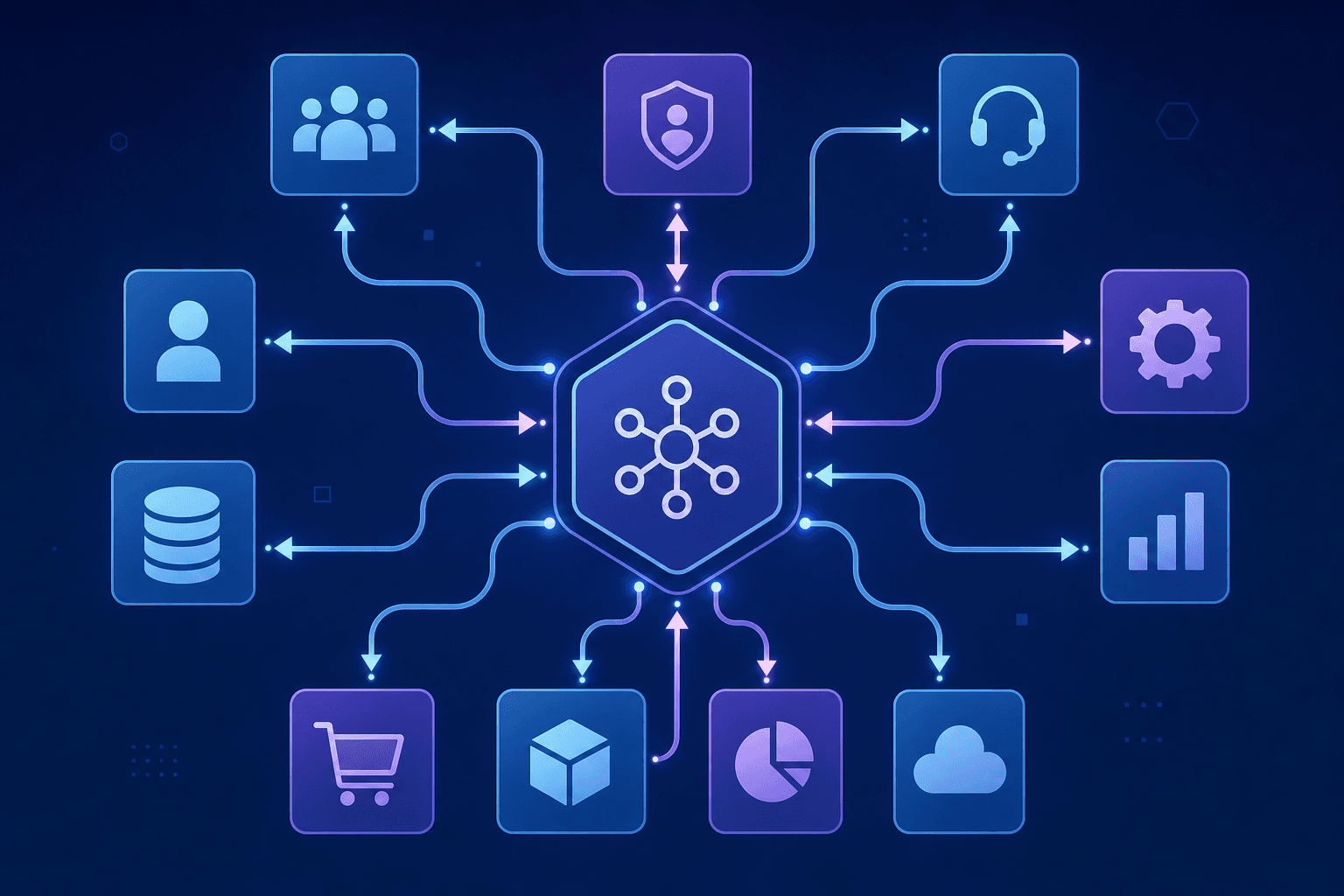
The integration conversation is where vendor claims get stress-tested. Pre-built connectors and custom API work are not the same thing, and most vendors blur that line deliberately. Ask which systems come with native connectors versus requiring custom development. HRIS integrations with tools like Workday or BambooHR, identity providers like Okta, and ITSM tools like ServiceNow or Jira should be available out of the box. If a vendor counts a REST API endpoint as a "native integration," that's a red flag worth pressing on. Below are some critical questions to make sure you get answers to:
Ask whether integrations are bidirectional or read-only, since write-back capabilities determine what the agent can actually act on.
Ask how integration credentials are stored and whether the vendor has completed SOC 2 Type II audits. According to government cybersecurity agencies, poor privilege management in agentic AI systems exposes organizations to scope creep and identity compromise, making least privilege adherence critical.
Ask what happens when a downstream system is unavailable and whether the agent fails gracefully or creates orphaned tickets.
Evaluation Framework for AI Decision Transparency and Governance
When an agentic service desk acts on your behalf, you need to know exactly why it made the decisions it did. Without that visibility, troubleshooting failures becomes guesswork, and proving compliance becomes nearly impossible. Adaptive service management systems require this level of transparency to deliver the faster response times and improved uptime organizations expect. Here are the governance questions worth asking any vendor:
Does the system log every action it takes, including which data it referenced and which workflow it followed to reach an outcome?
Can non-technical stakeholders read and interpret audit trails, or are logs written only for engineers?
Does the vendor support role-based access controls so that sensitive decision data is visible only to the right people?
When the AI escalates a ticket or denies a request, does it surface a plain-language explanation to the end user?
How does the system handle edge cases where confidence is low, and does it flag those situations proactively?
Governance is not a checkbox. It is the foundation that determines whether your organization can trust, audit, and defend every automated action the system takes.
Deployment Model Flexibility: Standalone vs Enhancement Layer
Some agentic service desk tools are built to replace your existing ITSM stack. Others are designed to sit on top of it. Knowing which you're buying matters before you sign anything. A standalone system means ripping out your current tooling and migrating workflows, data, and institutional knowledge into something new. That typically means months of migration work, professional services fees, and a productivity gap while your team learns the new platform. An enhancement layer, by contrast, drops into your existing environment and automates workflows across the tools your team already uses.
Ask every vendor directly: does this require us to replace our current ITSM, or can it work alongside it? The answer tells you a lot about total cost and time to value.
Security, Compliance, and Enterprise Readiness Requirements
Security and compliance aren't checkbox items you review at the end of a vendor conversation — they have to be built into the platform before you commit. The questions worth asking go deeper than "are you SOC 2 compliant?" You should press vendors on:
Data residency and sovereignty: confirm where your data is stored, processed, and whether you can restrict it to specific regions to meet regulatory requirements.
Role-based access controls: the system should let you govern who can trigger automated workflows, view sensitive ticket data, or modify agent behavior.
Audit logging: every agentic action taken on behalf of a user should be logged and retrievable for compliance reviews.
LLM data handling: ask explicitly whether your data is used to train shared models.
Total Cost of Ownership Beyond Licensing Fees
License price is the easiest number to find and the least accurate predictor of what you'll actually spend. Before you can compare vendors fairly, you need the full picture. You should ask about:
Implementation and onboarding fees, including any required professional services to get the system configured before it does anything useful.
Ongoing maintenance costs when workflows break or need updating after personnel or tool changes accumulate over time.
Per-seat pricing models that scale poorly as headcount grows, turning a reasonable initial quote into a painful annual renewal.
Whether workflow configuration requires vendor involvement or your team can own it independently without filing a support request.
The maintenance question matters more than buyers typically realize. Vendors using code-generated or AI-scripted workflows create long-term dependencies. When something breaks, your team is debugging scripts they didn't write. A visual workflow builder your team can edit directly removes that dependency and the recurring cost that comes with it.
Evaluating Ravenna's Workflow Automation Architecture
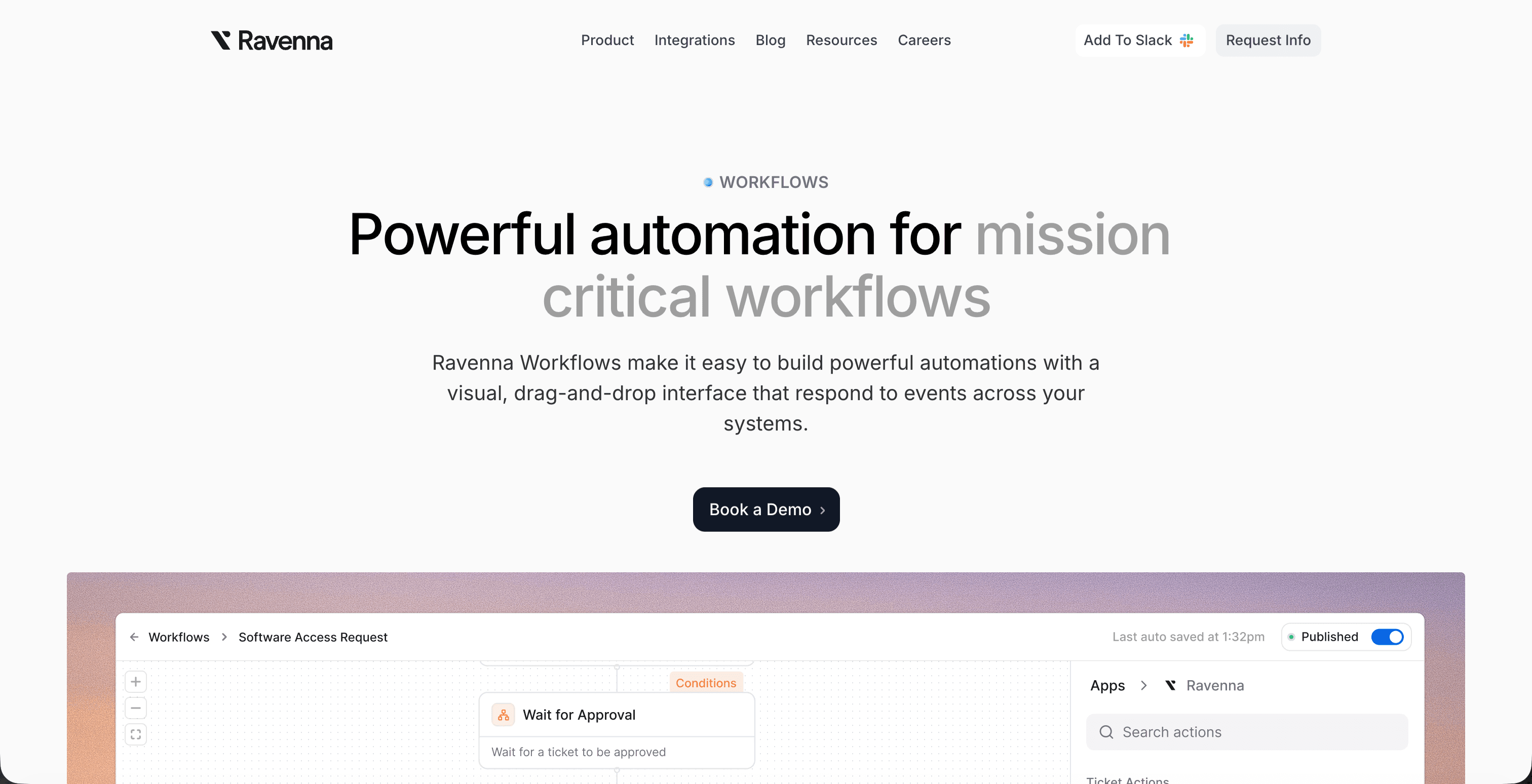
Ravenna is an agentic workflow automation platform built as an orchestration layer across your existing tools. That distinction matters when you're running an assessment, because it shapes what the product can actually do for your IT team. Where most helpdesk tools stop at intake and routing, Ravenna runs workflows across tools, teams, and systems end-to-end. A request comes in through Slack, the agent gathers context, takes action across connected systems, and closes the loop without human intervention on routine work.
Ask vendors how their agent handles multi-step workflows that span more than one system. Ravenna's answer is concrete: conditional logic, cross-system actions, and full auditability at every step.
Final Thoughts on Selecting an AI Helpdesk
Buying an agentic ITSM solution means separating vendors who automate workflows from those who just route tickets with better search. The questions in this checklist get you past the marketing language and into what the system can actually do when a request comes in. Your assessment should focus on whether the tool takes action across systems or just tells someone else what to do, because that difference determines whether your IT team gains real capacity or inherits just another inbox to manage. If you want to see workflow automation that works across your existing tools without replacing them, contact us to talk through your setup.
FAQ
What's the difference between an agentic service desk and an AI chatbot?
An agentic service desk takes action across connected systems and completes workflows end-to-end without human involvement, while AI chatbots answer questions and route tickets. If the system only tells your employee how to request software access instead of provisioning the license automatically, it's a chatbot with a fancy interface.
Can an agentic service desk work alongside my existing ITSM platform?
Yes. Some platforms function as a standalone replacement for your current ITSM, while others deploy as an automation layer on top of tools like Jira Service Management or ServiceNow. The deployment model you choose depends on whether you're ready to migrate away from legacy systems or prefer to automate workflows across your existing stack first.
How do I evaluate agentic service desk vendors without getting misled by marketing claims?
Ask three questions that map to the reasoning, action, and execution layers: how the agent distinguishes informational queries from actionable requests, which systems it can write to versus read from, and whether it can walk you through a multi-step workflow spanning three tools with no human in the loop. Vendors confident in real agentic capability answer those questions immediately.
What containment rate should I expect from an agentic service desk?
A strong agentic service desk should exceed 70% containment on Tier 1 requests, meaning those requests are fully resolved without any human involvement. Pair that metric with time-to-resolution across automated versus human-handled tickets to measure the real gap automation is closing for your team.
Should I prioritize native integrations or API flexibility when choosing an agentic ITSM vendor?
Native integrations matter more than vendors let on. Pre-built connectors with tools like Okta, Workday, and ServiceNow mean you get bidirectional write-back capabilities out of the box, while "API flexibility" often means your team builds and maintains custom code. Ask which systems come ready to use versus requiring custom development before comparing platforms.



