Forms 2.0
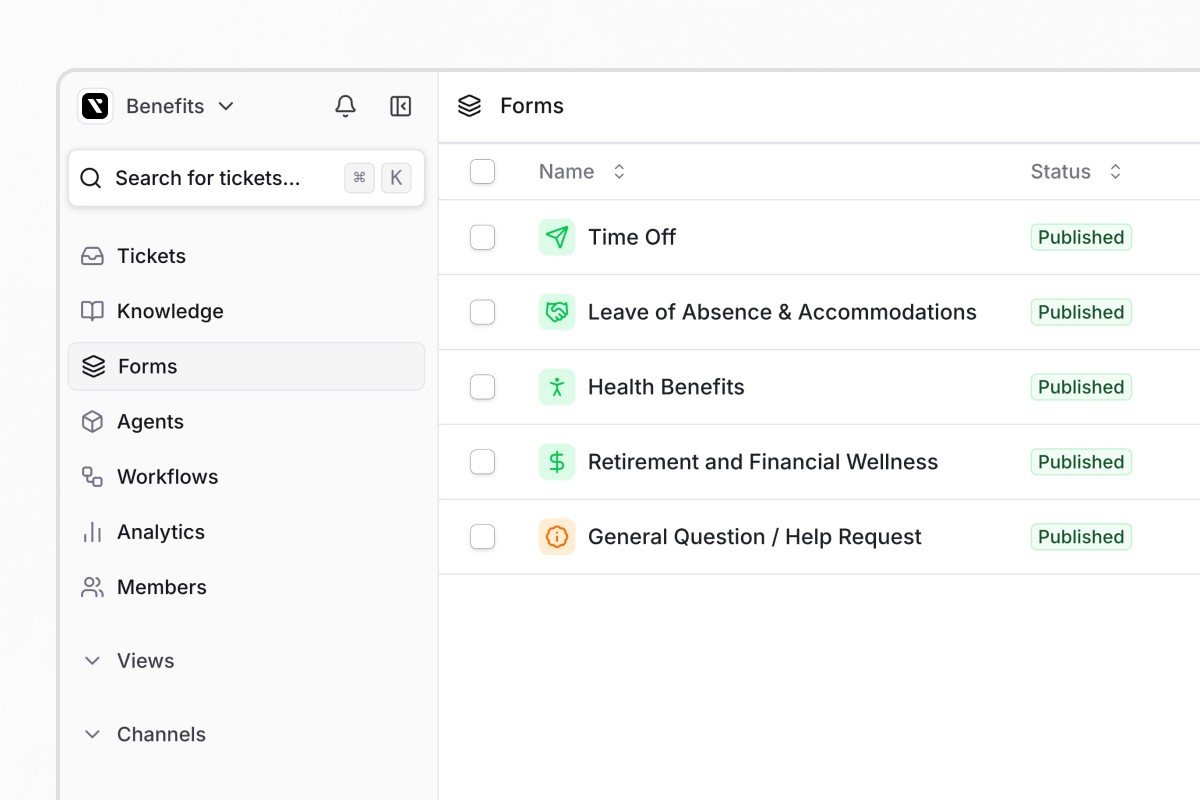
Forms now support a full lifecycle with draft, published, and archived stages. Draft forms stay hidden from requesters until you publish them, and archived forms no longer appear for selection without needing to be deleted. Audience controls let you restrict which forms appear for different groups: everyone, workspace members only, or specific user groups.
JumpCloud, OneLogin, and Microsoft Intune integrations
JumpCloud and OneLogin are now generally available for all workspaces with user provisioning, directory sync, and access management workflows. Microsoft Intune is a new MDM integration that displays device compliance data in tickets and supports automated device management through agent tools and workflows.
Learn more about Microsoft Intune
Other updates
Tickets:
Ticket Type field assigns one of five categories to tickets: Service, Incident, Problem, Change, or Access, with configurable defaults per form
Forms:
User groups in approval rounds can now be selected as approvers in ticket approval rounds
Custom form icon images let you upload custom images as form icons
Agents:
Settings-driven form filling uses deterministic agent settings instead of LLM-interpreted rules to control conversational form behavior
Integrations:
Okta auto-provisioning creates Organization Guest accounts for external Okta users during directory sync
Jira integration now supports syncing Jira Service Desk internal comments to Ravenna private notes, and vice versa
Platform:
Skip-invite toggle and bulk resend lets you skip invitation emails when adding members and resend pending invitations in bulk
Quality of life
Okta managerEmail field adds a managerEmail field for resolving manager relationships by email, with configurable precedence over managerId
Send Form action updates custom fields on existing tickets when used in Slack workflows, with an option to send as DM
Group assignment in Add Assignee lets you select user groups with All or Round Robin assignment strategies
Update requester adds requester as a modifiable field in the Update Ticket workflow action
Inline text filters now save when you click away from the filter input
Form field ordering now renders fields in the correct sequence across all form contexts
Date format options let you control how dates appear in auto-generated ticket titles
Due date in form builder is now available as a system field in the form builder
Custom field character limits increased to 2,000 characters for labels and descriptions
Date empty/not empty filters operators for date field conditions
Custom fields in table views are now hidden by default, and Reset Columns restores this default
Bulk unarchive cascade restores child tickets throughout the hierarchy when you unarchive from the ticket list
Slack re-sync lets you manually re-sync the Slack integration from Settings
Linear status mapping now applies your configured mapping when creating issues, not just during status updates


