Conversational Forms + Google File Transfers
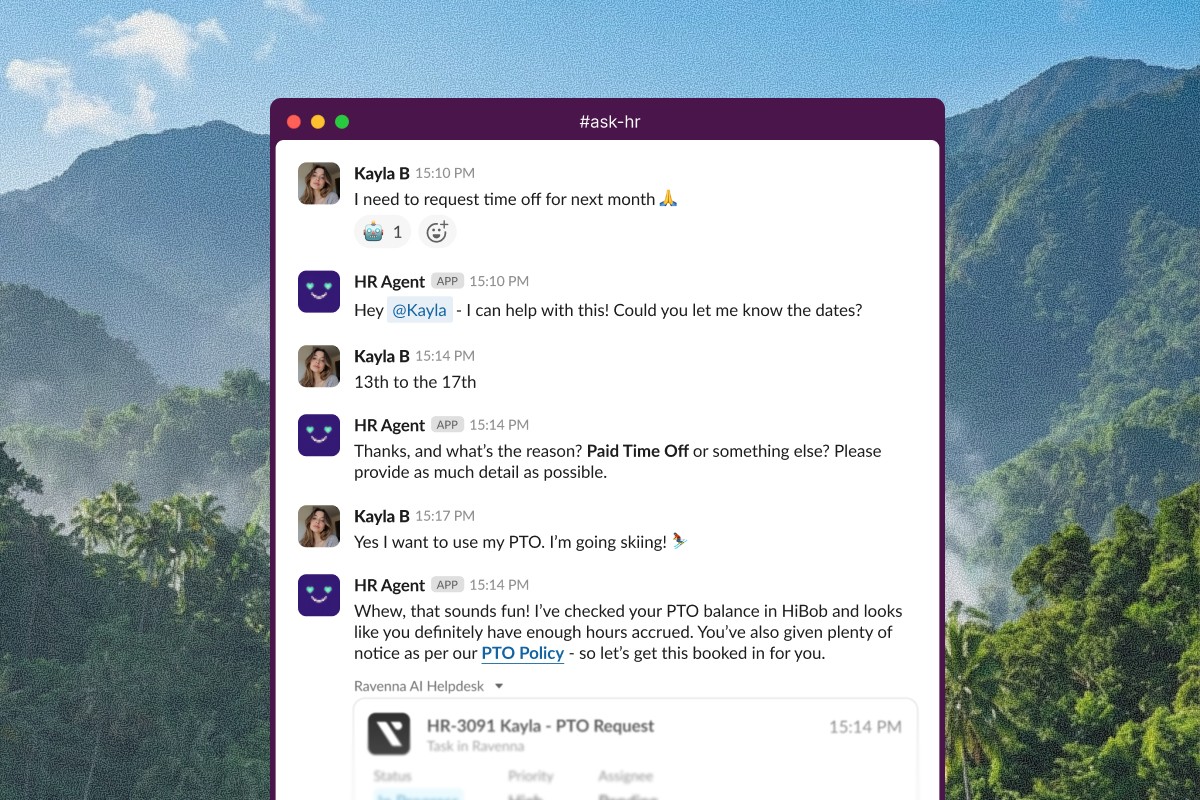
Conversational form filling
Agents now collect form field values through natural conversation instead of presenting a static form. When a user submits a request that triggers a form, the agent asks for each field one at a time in chat and automatically submits the completed form. A configurable field threshold (default: 5 fields) controls when agents use conversational mode versus the standard form UI, so simple requests like password resets flow naturally while complex forms with many fields still present the full form.
Learn more about conversational form filling
User Lookup agent tool
A new User Lookup tool supports conversational collection by searching for users by name or email within your organization. When a requester references someone by name, the agent resolves the mention to a Ravenna user ID to populate user selection fields in forms.
Google Drive file transfers for offboarding
Google Workspace now includes a Transfer User Files workflow action for offboarding. Transfer Drive files and Calendar data between users with configurable scope options for private, shared, or all files. The action supports asynchronous processing and returns a transfer ID for tracking.
Learn more about Transfer User Files
Other updates
Organizations with SSO enabled now receive a direct login URL with a connection parameter for one-click access. Configure the URL in your identity provider's app portal for seamless access to Ravenna. Learn more about direct SSO login
Microsoft Entra ID now automatically syncs manager relationships from your directory, displaying them on user profiles for org hierarchy and approval routing. Learn more about Entra manager syncing
Workflow-sent email replies now bypass queue security settings, ensuring recipients can always respond to automated outreach. Learn more about email reply behavior
Quality of life updates
API key Last Used tracking for monitoring active usage and identifying stale keys.
Workspace description routing guidance for writing descriptions that improve intelligent routing.
Emoji reactions clarified to work on channel-level messages only.
Updated keyboard shortcuts for quick actions.


